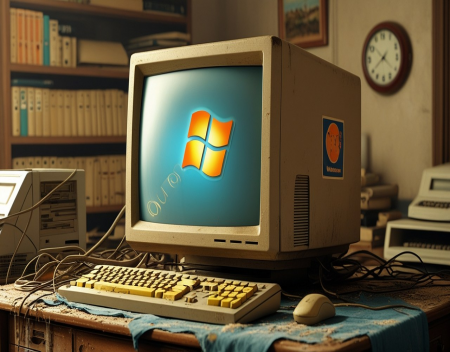
Almost everyone has experienced it. A computer that once felt fast and responsive gradually becomes sluggish, taking longer to boot, open programs, and perform basic tasks. While it may seem like the device is simply “getting old,” the reality is more complex. Several factors contribute to this slowdown, and understanding them can help extend the life of your system without immediately replacing it.
One of the main reasons older computers feel slow is software bloat. Over time, operating systems and applications become more demanding. Updates introduce new features, improved security measures, and enhanced visuals, all of which require additional resources. A machine that ran smoothly a few years ago may struggle to keep up with modern software expectations. This is especially noticeable when older hardware is paired with newer versions of operating systems or applications.
Another key factor is background processes. As you install more programs, many of them add services that run automatically when the computer starts. These processes consume memory and processing power, even if you are not actively using the applications. Over time, the accumulation of these background tasks can significantly impact performance, making the system feel slow even during simple operations.
Storage also plays a major role. Traditional hard drives, often referred to as Hard Disk Drive, rely on spinning disks and mechanical parts to read and write data. As these drives age, they can become slower due to wear and fragmentation. Fragmentation occurs when files are stored in scattered pieces across the disk, requiring more time to access. In contrast, modern storage solutions like Solid State Drive offer much faster data access and are less affected by these issues.
Memory limitations are another common cause of slow performance. Random Access Memory, or RAM, is used to store data that the computer needs to access quickly. When there is not enough RAM available, the system must rely on slower storage to handle tasks, which can cause noticeable delays. This is particularly evident when running multiple applications at once or using resource-intensive programs.
Malware and unwanted software can also contribute to sluggish performance. Viruses, spyware, and adware often run in the background, consuming resources and potentially interfering with normal operations. Even legitimate software can behave like bloat if it is poorly optimized or no longer needed.
Hardware aging itself is another factor. Components such as processors, storage drives, and cooling systems can degrade over time. Dust buildup can cause overheating, leading the system to reduce performance to prevent damage. While this does not mean the hardware is failing, it can reduce efficiency and responsiveness.
Fortunately, there are several ways to improve the performance of an older computer. One of the most effective upgrades is replacing a hard drive with a solid state drive. This change alone can dramatically improve boot times, application loading, and overall responsiveness. It is often one of the most noticeable improvements a user can make.
Adding more RAM is another practical solution. Increasing memory allows the system to handle more tasks simultaneously without slowing down. This is especially beneficial for users who run multiple applications or work with larger files.
Managing startup programs can also make a significant difference. By disabling unnecessary applications that launch at startup, you can reduce the load on the system and improve boot times. Most operating systems provide tools to review and control these programs.
Regular maintenance is equally important. This includes uninstalling unused software, running antivirus scans, and keeping the system updated. Cleaning up temporary files and optimizing storage can also help maintain performance. For systems using hard drives, occasional defragmentation can improve data access speeds.
Physical cleaning should not be overlooked. Removing dust from vents and internal components can improve airflow and cooling, helping the system run more efficiently. This is a simple step that can have a noticeable impact, especially on older machines.
In some cases, switching to a lighter operating system or using simpler applications can extend the usability of an older computer. Not every task requires the latest software, and choosing tools that match the hardware’s capabilities can improve the overall experience.
Ultimately, the slowdown of older computers is not caused by a single issue, but by a combination of factors that build up over time. The good news is that many of these issues can be addressed with relatively simple steps. By understanding what causes the slowdown and taking targeted action, it is often possible to restore much of the system’s original performance.
In the end, replacing a computer is not always the only option. With the right approach, even an aging system can remain useful and responsive, providing value well beyond its expected lifespan.
Great experience with Computer Geek. They helped with my website needs and were professional, respon . . . [MORE].

Great, quick service when my laptop went into meltdown and also needed Windows 11 installed. Also ca . . . [MORE].
It was a great experience to working with you. thank you so much. . . . [MORE].
Thank you so much for great service and over all experience is good . highly recommended for all peo . . . [MORE].
We engaged The Computer Geeks in mid-2023 as they have a reputation for API integration within the T . . . [MORE].
The Rise of Automation in

Why Every Business Needs

ERP Systems for Small Bus