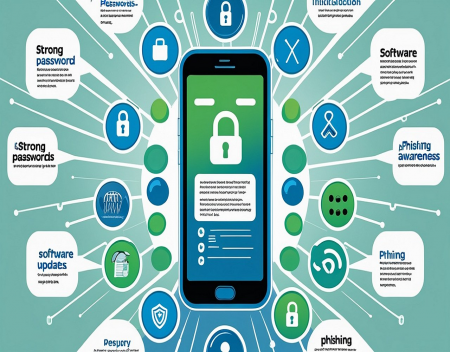
Smartphones have become some of the most important devices we own. We use them to communicate with friends and family, access bank accounts, shop online, store photographs, manage email, access social media, and even control smart home devices.
Unfortunately, that makes smartphones attractive targets for cybercriminals.
A compromised phone can expose far more than your contacts and photographs. Depending on what is stored on the device and which accounts are connected to it, an attacker could potentially gain access to email, financial information, social media accounts, and other sensitive data.
The good news is that protecting a smartphone doesn't require being a cybersecurity expert. A few basic security habits can dramatically reduce the chances of becoming a victim.
## Use a Strong Screen Lock
Your first line of defense is your phone's lock screen.
A simple four-digit PIN is better than nothing, but a longer PIN or password provides significantly more protection. Modern smartphones also offer fingerprint recognition and facial recognition, which can make security both stronger and more convenient.
Avoid using easily guessed codes such as birthdays, 1234, 0000, or other obvious combinations.
Remember that biometric security should generally be used alongside a strong passcode rather than treated as a replacement for one.
## Keep Your Phone Updated
Operating system updates aren't just about adding new features.
They frequently contain security fixes that address vulnerabilities discovered by manufacturers and security researchers.
When a vulnerability becomes publicly known, criminals may attempt to exploit devices that haven't been updated.
Enable automatic updates whenever possible, and don't ignore notifications asking you to install an important security update.
The same rule applies to your applications. Keep apps updated through the official app store.
## Be Careful About What You Install
Only install applications from reputable sources.
Official app stores aren't perfect, but they generally provide significantly more protection than downloading random applications from websites or unknown sources.
Before installing an unfamiliar app, consider whether it actually needs the permissions it requests.
A flashlight application that wants access to your contacts, microphone, location, and photographs should raise some questions.
If an app requests excessive permissions without a clear reason, consider choosing another application.
## Review App Permissions
Even legitimate applications don't necessarily need permanent access to everything they request.
Regularly review your phone's privacy and permission settings.
Pay particular attention to:
* Location
* Camera
* Microphone
* Contacts
* Photos
* Bluetooth
* Files
* Notifications
If an application no longer needs a permission, remove it.
Many phones also allow you to provide temporary or limited access rather than unrestricted access.
## Be Suspicious of Text Messages
Text-message scams have become extremely common.
You might receive a message claiming to be from your bank, a delivery company, a government agency, or another organization.
The message may say that you need to click a link, confirm your account, pay a fee, or provide personal information.
Don't automatically trust a message simply because it looks professional.
Instead of clicking the link, open the organization's official app or type its website address into your browser yourself.
## Watch Out for Fake Phone Calls
Scammers also use telephone calls to target smartphone users.
A caller might claim that there is a problem with your bank account, computer, mobile service, or another account.
They may create a sense of urgency and pressure you into providing passwords, verification codes, or financial information.
Legitimate organizations generally won't ask you to reveal sensitive authentication information simply because someone called you.
If you're unsure, hang up and contact the organization using a phone number you know is legitimate.
## Protect Your Accounts
Your smartphone may provide access to dozens of online accounts.
If someone gains control of your primary email account, they may be able to reset passwords for other services.
Use strong, unique passwords for important accounts.
Never reuse the same password everywhere.
A password manager can make this much easier by generating and remembering strong passwords for you.
## Enable Multi-Factor Authentication
Multi-factor authentication, or MFA, adds another layer of security.
Instead of relying solely on a password, your account may require another form of verification.
This could be an authentication app, security key, or another approved method.
Even if a criminal obtains your password, they may be unable to access the account without the additional authentication factor.
Whenever an important account offers strong MFA, consider enabling it.
## Be Careful on Public Wi-Fi
Public Wi-Fi can be convenient, but you shouldn't automatically assume every network is trustworthy.
Criminals can create fake networks designed to look like legitimate Wi-Fi hotspots.
When using public Wi-Fi, avoid performing highly sensitive activities on networks you don't trust.
If you need to access your bank account or another important service, using your mobile data connection may be a safer option.
A reputable VPN can also provide additional protection in some situations, although it isn't a replacement for basic security practices.
## Don't Leave Bluetooth Unnecessarily Open
Bluetooth is useful for connecting headphones, cars, keyboards, watches, and other devices.
However, it's a good idea to understand what your phone is connected to and avoid accepting unexpected pairing requests.
If you're not using Bluetooth, disabling it can reduce unnecessary wireless exposure, although modern smartphones are designed with significant Bluetooth security protections.
## Protect Your Phone Physically
Cybersecurity isn't only about hackers.
Someone who physically obtains your unlocked phone may have direct access to a huge amount of information.
Use a screen lock and set your device to lock automatically after a short period of inactivity.
Avoid leaving your phone unattended in public places.
If your phone is lost or stolen, use the device's built-in tracking and remote-locking capabilities as quickly as possible.
## Back Up Your Important Data
Security problems aren't limited to stolen information.
Phones can be lost, damaged, or destroyed.
Make sure important photographs, documents, contacts, and other information are backed up.
Cloud backups can be extremely useful, but make sure the account used for your backup is also properly secured.
A backup is only useful if you can actually recover your information when something goes wrong.
## Watch What You Photograph
It's easy to forget that your phone's camera can capture sensitive information.
Avoid unnecessarily photographing passports, financial documents, passwords, identification cards, or other sensitive material.
If you do need to store such information temporarily, make sure it is protected appropriately and delete it when it is no longer needed.
## Don't Root or Jailbreak Your Phone Without Understanding the Risks
Modifying a smartphone's operating system can provide additional flexibility, but it can also weaken some built-in security protections.
Unless you understand exactly what you're doing and why you need the modification, leaving the phone's operating system in its normal configuration is generally safer.
## Be Careful With QR Codes
QR codes are convenient, but criminals can use them to direct people to malicious websites.
A QR code can look harmless while sending you somewhere completely different from what you expect.
Before entering passwords, payment information, or other sensitive details after scanning a QR code, verify that the website address is legitimate.
## Delete Apps You Don't Use
Old applications can create unnecessary security and privacy risks.
If you haven't used an application in months and don't need it, consider removing it.
Fewer applications mean fewer pieces of software that need to be updated and fewer companies potentially collecting information from your device.
## Final Thoughts
Your smartphone contains an enormous amount of personal information, making mobile security more important than ever.
Fortunately, protecting your phone doesn't require complicated technical knowledge.
Use a strong screen lock, keep your operating system and apps updated, install software carefully, review permissions, enable multi-factor authentication, and be skeptical of unexpected messages and calls.
Most importantly, slow down when something seems urgent.
Many successful scams rely on creating panic and convincing victims to act before they have time to think.
Your smartphone is likely one of the most valuable pieces of technology you own—not necessarily because of the device itself, but because of everything it provides access to.
**Treat your phone like a digital key to your life, because that's essentially what it has become.**
Great experience with Computer Geek. They helped with my website needs and were professional, respon . . . [MORE].

Great, quick service when my laptop went into meltdown and also needed Windows 11 installed. Also ca . . . [MORE].
It was a great experience to working with you. thank you so much. . . . [MORE].
Thank you so much for great service and over all experience is good . highly recommended for all peo . . . [MORE].
We engaged The Computer Geeks in mid-2023 as they have a reputation for API integration within the T . . . [MORE].

Could Holographic Display

Life After Smartphones
The Future of Digital Ide