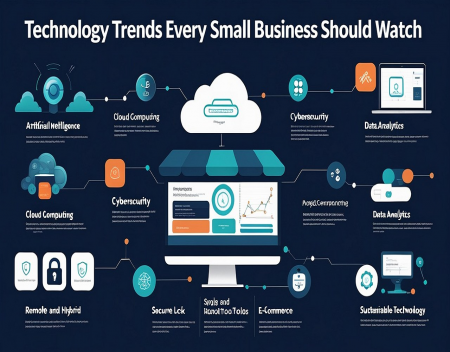
Technology is changing how businesses operate, compete, and serve their customers. Tools that were once available only to large corporations are becoming more affordable and accessible to small businesses. From artificial intelligence and cloud computing to cybersecurity and automation, modern technology offers opportunities to save time, reduce costs, and improve productivity.
However, keeping up with every new development can be difficult for small business owners who already have limited time and resources. The key is to identify the technology trends that offer practical benefits and determine which ones make sense for the business.
Here are several important technology trends every small business should watch.
1. Artificial Intelligence for Everyday Business TasksArtificial intelligence, commonly known as AI, is becoming one of the most significant developments in business technology.
Small businesses can use AI tools to help write marketing content, summarize documents, answer common customer questions, analyze information, generate ideas, and assist with administrative tasks.
For example, a business owner could use AI to draft email responses, prepare product descriptions, organize meeting notes, or develop a first draft of a business proposal.
AI can also support customer service by helping employees find information quickly or providing automated answers to routine questions.
The greatest benefit may be productivity. Small businesses often have fewer employees than larger competitors, so reducing repetitive work can make a meaningful difference.
However, AI-generated information should be reviewed before it is used. Businesses must also protect confidential information and avoid entering sensitive customer or financial data into tools that have not been approved for that purpose.
2. Cloud Computing and Online SoftwareCloud computing allows businesses to access software, storage, and computing resources over the internet instead of relying entirely on local computers and servers.
Many small businesses already use cloud-based email, accounting software, document storage, customer management systems, and collaboration tools.
This trend is continuing because cloud services can make it easier to work remotely, share information, and expand operations without purchasing extensive hardware.
Cloud software can also provide automatic updates and reduce the burden of maintaining some systems internally.
However, businesses should understand subscription costs, backup arrangements, security controls, and what happens if an important provider experiences an outage.
Cloud computing can be valuable, but it still requires proper planning and management.
3. Cybersecurity for Smaller OrganizationsCybersecurity is no longer a concern limited to large corporations.
Small businesses hold valuable information, including customer details, employee records, payment information, and business documents. Criminals may target smaller organizations because their security protections are sometimes less developed.
Important security measures include multifactor authentication, strong passwords, regular software updates, reliable backups, and employee training.
Businesses should also be prepared for phishing emails, fraudulent invoices, compromised accounts, and ransomware attacks.
Another growing consideration is securing AI tools, cloud applications, and remote access systems.
Cybersecurity should be treated as an ongoing business responsibility rather than a one-time purchase of antivirus software.
4. Business AutomationAutomation allows software to perform repetitive tasks with less manual involvement.
Small businesses can automate appointment reminders, invoice notifications, customer follow-ups, email marketing, inventory alerts, and other routine activities.
For example, a service company could automatically send customers a booking confirmation and a reminder before their appointment. After the job is completed, the system could send an invoice and request feedback.
These workflows reduce administrative work and help prevent tasks from being forgotten.
Automation does not necessarily require complicated software development. Many business applications include built-in automation features, while other tools connect different applications to create customized workflows.
The best place to start is with repetitive tasks that consume time but do not require much human judgment.
5. Customer Relationship Management SoftwareCustomer relationship management software, or CRM, helps businesses organize customer information, sales opportunities, communication history, and follow-up activities.
Without a CRM, customer information may be scattered across email accounts, spreadsheets, paper records, and employees' personal notes.
A centralized system can make it easier to track inquiries, manage sales opportunities, and provide consistent customer service.
Modern CRM platforms may also include marketing automation, reporting, AI-powered recommendations, and integrations with accounting or ecommerce systems.
Even a small business with only a few employees can benefit from having an organized view of its customers.
The important consideration is choosing a system that fits the business's needs without adding unnecessary complexity.
6. Digital Payments and Modern Checkout OptionsCustomers increasingly expect convenient ways to pay for products and services.
Small businesses should watch developments in contactless payments, digital wallets, online payment processing, and integrated payment systems.
Retailers may benefit from payment terminals that connect directly to inventory and sales software. Service businesses can offer online deposits or electronic invoices with convenient payment options.
Ecommerce businesses can simplify checkout by supporting suitable payment methods and clearly displaying taxes, shipping costs, and payment terms.
Convenience matters, but security and transaction fees must also be considered.
Businesses should compare payment providers carefully and ensure their systems handle customer payment information appropriately.
7. Data Analytics and Better Business DecisionsData analytics helps businesses understand what is happening across their operations.
Information from sales, websites, advertising campaigns, customer interactions, and accounting systems can reveal patterns that might otherwise go unnoticed.
For example, a retailer could identify its most profitable products, while a service business could determine which marketing campaigns generate the most valuable customers.
Website analytics can show which pages attract visitors and where potential customers abandon the purchasing process.
Modern analytics tools increasingly present information through dashboards and automated reports, making it easier for nontechnical users to understand business performance.
Small businesses do not need enormous databases to benefit from analytics. Even a few reliable measurements, such as profit margins, customer retention, and lead conversion rates, can improve decision-making.
8. E-commerce and Digital MarketingAn online presence is important even for businesses that primarily serve local customers.
A professional website can explain services, display products, answer common questions, and provide a convenient way to contact the company.
Businesses can also use search engine optimization, email marketing, social media, online advertising, and customer reviews to attract potential customers.
Ecommerce technology makes it possible to sell products online without operating a traditional retail store. Service businesses can use websites to accept bookings, collect deposits, and manage inquiries.
AI-powered marketing tools may help create content and analyze campaign performance, but businesses still need accurate information, a consistent brand, and a clear understanding of their target audience.
9. Remote Work and Collaboration ToolsRemote and hybrid work have made digital collaboration increasingly important.
Video conferencing, shared documents, project management software, and team messaging applications allow employees to work together even when they are not in the same location.
These tools can reduce unnecessary meetings, improve communication, and make it easier to coordinate projects.
Small businesses should focus on selecting a manageable set of tools rather than using numerous overlapping applications.
Clear communication practices are just as important as the software itself. Employees need to understand where documents are stored, how tasks are assigned, and which communication channels should be used for different situations.
10. Energy Efficiency and Sustainable TechnologyTechnology can also help small businesses control operating costs and reduce energy consumption.
Energy-efficient computers, LED lighting, smart thermostats, and equipment monitoring systems can reduce electricity use.
Businesses with significant computing needs can review server efficiency, cloud resource usage, and equipment replacement schedules.
Even simple measures, such as enabling power-saving settings and replacing inefficient equipment when appropriate, can produce savings over time.
Sustainability initiatives may also appeal to customers who value environmentally responsible business practices.
How Small Businesses Should Choose Which Trends to AdoptNot every technology trend deserves immediate investment.
Small businesses should begin by identifying their biggest operational problems. These might include excessive paperwork, slow customer responses, poor inventory control, security concerns, or inefficient marketing.
Next, investigate technologies that address those specific problems. Consider the total cost, including subscriptions, training, implementation, support, and potential integration expenses.
Whenever possible, test a solution on a small scale before committing to a long-term arrangement.
Businesses should also evaluate security, data privacy, reliability, and the provider's reputation.
The goal is not to adopt the most technology. It is to choose technology that produces measurable improvements.
Final ThoughtsTechnology continues to create new opportunities for small businesses to operate more efficiently and compete in changing markets.
Artificial intelligence, cloud computing, automation, cybersecurity, CRM software, digital payments, and data analytics are among the most important trends to watch.
However, successful technology adoption requires more than following the latest headlines. Business owners need to understand their challenges, set realistic goals, and select tools that provide genuine value.
By adopting useful technology gradually and measuring the results, small businesses can improve productivity, strengthen customer relationships, protect important information, and prepare for future growth.
Add a practical implementation roadmapInclude a small-business technology checklist
Great experience with Computer Geek. They helped with my website needs and were professional, respon . . . [MORE].

Great, quick service when my laptop went into meltdown and also needed Windows 11 installed. Also ca . . . [MORE].
It was a great experience to working with you. thank you so much. . . . [MORE].
Thank you so much for great service and over all experience is good . highly recommended for all peo . . . [MORE].
We engaged The Computer Geeks in mid-2023 as they have a reputation for API integration within the T . . . [MORE].
Technology Trends Every S
The Hidden Costs of Legac
Why Customer Experience D