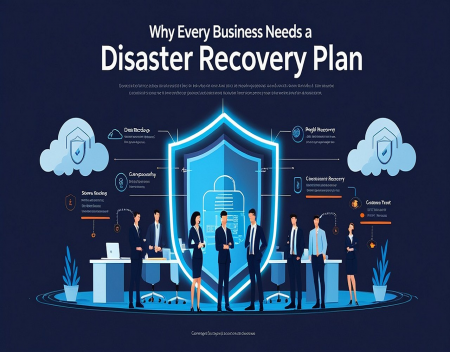
Modern businesses depend heavily on technology. Customer records, financial information, employee files, websites, email, databases, and other important information are often stored digitally. When everything is working properly, it is easy to forget just how much a business depends on its computers and IT systems.
The problem is that technology can fail.
A hard drive can stop working. A server can become corrupted. A cyberattack can encrypt company files. An employee can accidentally delete important information. A fire, flood, power failure, or other disaster can damage equipment and make an entire office unusable.
This is why every business should have a disaster recovery plan.
A disaster recovery plan is a documented strategy for restoring important systems, data, and business operations after a serious disruption. It helps a company respond quickly instead of trying to figure out what to do after something has already gone wrong.
What Is a Disaster Recovery Plan?A disaster recovery plan outlines what a business will do when a major technology or operational problem occurs.
It identifies important systems and data, explains how they will be protected, and establishes procedures for getting them back online.
A disaster recovery plan may cover situations such as:
Ransomware attacks
Server failures
Hard drive failures
Data corruption
Accidental file deletion
Power failures
Hardware theft
Fire or flooding
Internet outages
Cloud service failures
Natural disasters
Human error
The goal is not necessarily to prevent every disaster. Some disasters simply cannot be prevented.
The goal is to make sure the business can recover from the disaster.
Why Backups Are Not EnoughMany businesses believe they are protected because they perform regular backups.
Backups are extremely important, but having backups does not automatically mean having a disaster recovery plan.
For example, imagine a business has a backup of its accounting database. The main server fails, and the company discovers that the backup is six months old.
The business technically has a backup, but it may not have the information it needs.
Another problem is knowing how to restore the backup. If nobody knows where the backup is stored or how to restore it, recovery could take days.
A disaster recovery plan answers these questions before an emergency happens.
The Importance of Multiple BackupsA strong disaster recovery strategy should generally avoid keeping the only copy of important data in one location.
If the original data and backup are stored on the same server, a hardware failure could destroy both.
If the backup is stored on computers inside the same building, a fire or flood could potentially destroy everything.
Businesses should consider using multiple backup locations and technologies. This might include local backups combined with secure off-site or cloud backups.
The exact strategy depends on the size and needs of the business, but the basic principle is simple: do not put all of your backups in the same place.
Ransomware Makes Disaster Recovery Even More ImportantCyberattacks have made disaster recovery more important than ever.
Ransomware can prevent employees from accessing files and systems by encrypting data. Attackers may then demand money in exchange for restoring access.
A good disaster recovery strategy can reduce the impact of ransomware.
If a company has secure backups that were not affected by the attack, it may be possible to restore systems without relying entirely on the attacker.
However, backups should be protected from unauthorized access. If attackers can access and delete the backups, the backup strategy may provide little protection.
How Quickly Does Your Business Need to Recover?Not every system has the same level of importance.
For example, a business website may be important, but the company's accounting database, customer database, or production system could be even more critical.
A disaster recovery plan should identify which systems need to be restored first.
This is sometimes described using two important concepts: Recovery Time Objective (RTO) and Recovery Point Objective (RPO).
RTO refers to how quickly a system needs to be restored after an outage.
RPO refers to how much recent data the business can afford to lose.
For example, a company might decide that its email system needs to be restored within eight hours, while another system might be allowed to remain offline for two days.
Understanding these priorities helps businesses create a realistic recovery strategy.
Who Is Responsible for Recovery?A disaster recovery plan should clearly identify responsibilities.
During a crisis, employees should not have to ask, "Who is supposed to handle this?"
The plan should identify who is responsible for contacting IT providers, restoring systems, communicating with employees, contacting customers when necessary, and making important business decisions.
Contact information should also be kept somewhere accessible.
If the company's normal computer systems are unavailable, storing the only copy of the disaster recovery plan on those systems would obviously be a problem.
Testing Your Disaster Recovery PlanOne of the biggest mistakes businesses make is creating a disaster recovery plan and then never testing it.
A plan that looks good on paper may not work properly in the real world.
Businesses should periodically test backups and recovery procedures.
For example, an IT team could test whether a server can actually be restored from a backup. Employees could also practice what they would do if email or the company's primary computer systems suddenly became unavailable.
Testing can reveal problems before a real disaster exposes them.
Disaster Recovery and Cloud ComputingCloud services can play an important role in disaster recovery.
Cloud-based backups can provide an off-site copy of important information. Cloud applications can also allow employees to continue working even if the company's physical office is unavailable.
However, businesses should not assume that everything in the cloud is automatically backed up.
A cloud service may protect against certain types of hardware failure while offering limited protection against accidental deletion, account compromise, or other problems.
Businesses should understand exactly what their cloud providers protect and what they do not.
Disaster Recovery Is About More Than TechnologyA disaster recovery plan should not focus exclusively on computers.
A serious disaster could affect the entire business.
Companies should consider how employees will communicate, where employees will work if the office is unavailable, how customers will be contacted, how suppliers will be handled, and how important business processes will continue.
For some companies, this becomes part of a larger business continuity plan.
Disaster recovery focuses heavily on restoring technology and data, while business continuity looks at how the organization can continue operating during a major disruption.
Both are important.
Small Businesses Need Disaster Recovery TooDisaster recovery is sometimes associated with large corporations with large IT departments and expensive data centers.
Small businesses may actually have more to lose from a major technology failure.
A large company may have multiple offices, dedicated IT staff, redundant systems, and significant resources available for recovery.
A small business might depend on one server, one internet connection, one website, and a small number of employees.
If one critical system fails, the entire business could be affected.
A disaster recovery plan does not have to be complicated or expensive. Even a small company can document its critical systems, maintain reliable backups, establish recovery procedures, and make sure employees know what to do.
Disaster Recovery Plans Should Be UpdatedTechnology and businesses change over time.
A company may replace its servers, move to new cloud services, add employees, change accounting software, or introduce new applications.
A disaster recovery plan should change along with the business.
It should be reviewed regularly to make sure contact information, systems, backup procedures, passwords, responsibilities, and recovery instructions are still accurate.
An outdated disaster recovery plan can be almost as problematic as having no plan at all.
Final ThoughtsA disaster can happen to any business, regardless of its size.
The most dangerous time to start thinking about disaster recovery is after something has already gone wrong.
A good disaster recovery plan gives a business a clear path forward when systems fail. It helps protect important information, reduce downtime, minimize financial losses, and give employees clear instructions during a stressful situation.
Technology failures are inevitable. What matters is how prepared your business is to recover from them.
For any business that depends on computers, servers, websites, databases, or digital information, a disaster recovery plan is not an unnecessary expense. It is an important part of protecting the business itself.
Great experience with Computer Geek. They helped with my website needs and were professional, respon . . . [MORE].

Great, quick service when my laptop went into meltdown and also needed Windows 11 installed. Also ca . . . [MORE].
It was a great experience to working with you. thank you so much. . . . [MORE].
Thank you so much for great service and over all experience is good . highly recommended for all peo . . . [MORE].
We engaged The Computer Geeks in mid-2023 as they have a reputation for API integration within the T . . . [MORE].
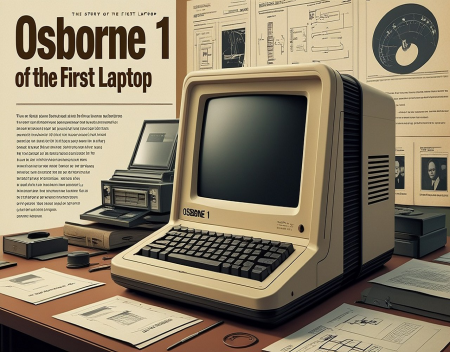
The Story of the First La
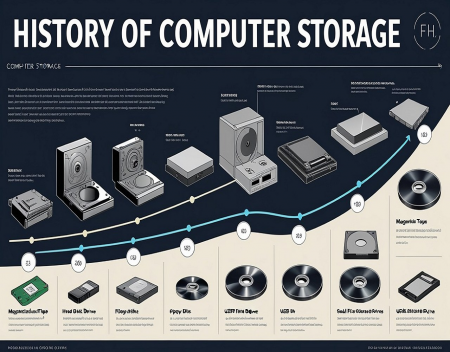
The History of Computer S
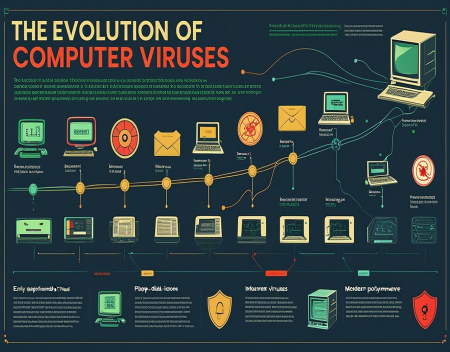
The Evolution of Computer