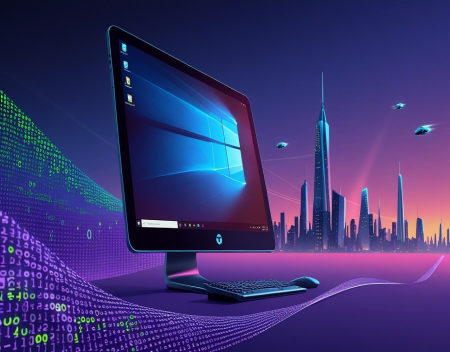
When Windows 11 was first introduced, it marked a significant shift in how Microsoft envisioned the future of personal computing. More than just a visual refresh, it represented a broader transition toward a more modern, connected, and service-oriented operating system. Since its release, Windows 11 has continued to evolve, reflecting changes in hardware, user expectations, and the growing influence of intelligent systems.
One of the most noticeable aspects of Windows 11 at launch was its redesigned interface. The centered Start menu, simplified taskbar, and rounded design elements were intended to create a cleaner, more consistent user experience. While these changes were initially met with mixed reactions, they signaled Microsoft’s effort to move away from legacy design choices and toward a more streamlined environment. Over time, updates have refined this approach, adding customization options and improving usability based on user feedback.
Performance and efficiency have also been key areas of development. Windows 11 introduced optimizations designed to take better advantage of modern hardware, including newer processors and faster storage technologies. These improvements help systems feel more responsive, particularly when multitasking or running demanding applications. Features like improved window management and virtual desktops have made it easier for users to organize their workflows and stay productive.
Another major focus has been security. As cyber threats continue to evolve, Microsoft has placed greater emphasis on built-in protections. Windows 11 includes stricter hardware requirements, such as support for secure boot and trusted platform modules. While these requirements have limited compatibility with some older systems, they are intended to create a more secure baseline for users. This reflects a broader trend in computing, where security is becoming a fundamental part of system design rather than an optional layer.
The integration of cloud services has also expanded significantly. Windows 11 is designed to work seamlessly with online storage, synchronization, and collaboration tools. This allows users to access their files and settings across multiple devices, creating a more connected experience. The line between local and cloud-based computing continues to blur, making it easier to move between environments without losing continuity.
Perhaps the most transformative influence on Windows 11 has been the rise of Artificial Intelligence. Microsoft has begun integrating AI-driven features directly into the operating system, enhancing everything from search functionality to productivity tools. These capabilities are designed to anticipate user needs, automate repetitive tasks, and provide more intuitive interactions. As AI continues to advance, its role within Windows is expected to grow, potentially reshaping how users interact with their computers.
Gaming has also remained a priority. Windows 11 includes features aimed at improving gaming performance and compatibility, such as support for advanced graphics technologies and faster load times. These enhancements reflect the importance of gaming within the broader PC ecosystem and Microsoft’s commitment to maintaining Windows as a leading platform for interactive entertainment.
Despite these advancements, Windows 11 has faced challenges. Compatibility issues, hardware requirements, and changes to familiar features have required users to adapt. Some have embraced the new direction, while others have been more hesitant. This tension highlights the difficulty of evolving a platform that serves such a wide and diverse user base.
Looking ahead, the future of Windows is likely to be shaped by several key trends. First, the role of AI will continue to expand, potentially leading to more personalized and context-aware computing experiences. Instead of relying on manual input, users may interact with systems that understand their preferences and adapt in real time.
Second, the integration of devices and services will deepen. Windows may become less of a standalone operating system and more of a central hub within a broader ecosystem of connected devices. This could include tighter integration with mobile devices, cloud platforms, and emerging technologies such as augmented reality.
Third, updates and feature delivery will likely become more continuous. Rather than major version releases, improvements may be introduced incrementally, allowing the system to evolve more rapidly. This approach aligns with the shift toward software as a service, where ongoing updates replace traditional upgrade cycles.
Finally, the balance between innovation and stability will remain a central challenge. As new features are introduced, maintaining reliability and performance will be critical. Users expect their systems to be both cutting-edge and dependable, and meeting these expectations requires careful planning and execution.
In the end, the evolution of Windows 11 reflects broader changes in the technology landscape. It is not just an operating system, but a platform that connects hardware, software, and services in increasingly sophisticated ways. What comes next will likely build on this foundation, pushing the boundaries of what personal computing can offer while continuing to adapt to the needs of users around the world.
Great experience with Computer Geek. They helped with my website needs and were professional, respon . . . [MORE].

Great, quick service when my laptop went into meltdown and also needed Windows 11 installed. Also ca . . . [MORE].
It was a great experience to working with you. thank you so much. . . . [MORE].
Thank you so much for great service and over all experience is good . highly recommended for all peo . . . [MORE].
We engaged The Computer Geeks in mid-2023 as they have a reputation for API integration within the T . . . [MORE].
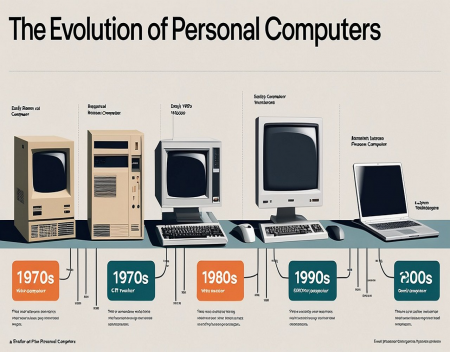
The Evolution of Personal
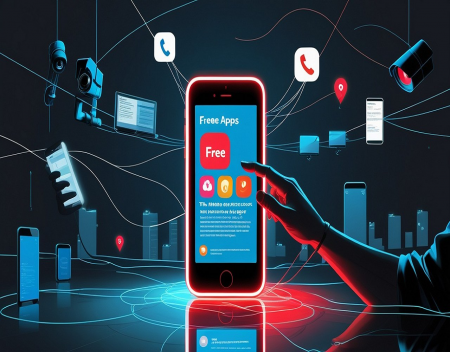
The Hidden Cost of Free A
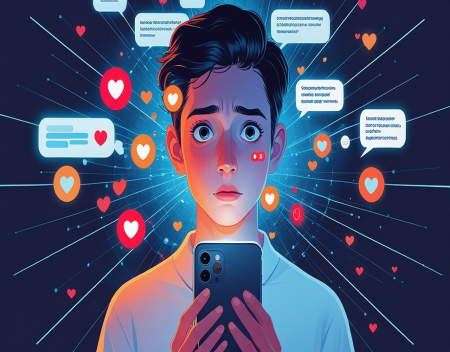
The Psychology of Notific