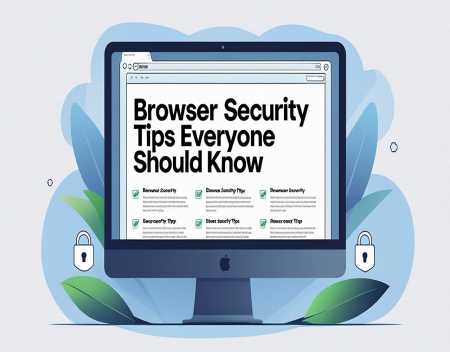
Your web browser is one of the most frequently used applications on your computer or mobile device. Whether you're checking email, shopping online, managing your bank account, working remotely, or browsing social media, nearly everything you do on the internet passes through your browser. Because of this, web browsers have become one of the primary targets for cybercriminals. Fortunately, following a few simple security practices can significantly reduce your risk of becoming a victim of malware, phishing attacks, identity theft, or online fraud.
One of the most important browser security tips is to keep your browser up to date. Browser developers such as Google, Mozilla, Microsoft, and Apple regularly release updates that fix newly discovered security vulnerabilities. Cybercriminals actively search for users running outdated browser versions because known security flaws are much easier to exploit.
Most modern browsers update automatically, but it's still a good idea to verify that automatic updates are enabled and that you're using the latest version. Installing updates promptly is one of the easiest and most effective ways to improve your online security.
Always look for the padlock icon and "HTTPS" in your browser's address bar before entering sensitive information. HTTPS indicates that communication between your browser and the website is encrypted, making it much more difficult for others to intercept your data during transmission.
However, it's important to understand that HTTPS alone does not guarantee a website is trustworthy. Criminals can also obtain HTTPS certificates for fraudulent websites. Always verify that the website address is correct before entering passwords, financial information, or personal details.
Pay close attention to website addresses, especially when clicking links received through email or text messages. Cybercriminals frequently create fake websites with addresses that closely resemble legitimate ones. For example, a scam website might replace a single letter, add an extra word, or use a different domain extension in hopes that visitors won't notice the difference.
Before logging into important accounts, take a moment to examine the URL carefully. When possible, type the website address directly into your browser rather than following links from unsolicited messages.
Strong passwords remain one of the most important defenses for browser security. Every online account should have its own unique password. Reusing passwords across multiple websites increases your risk because if one site suffers a data breach, attackers may attempt to use those same credentials elsewhere.
A password manager can simplify this process by generating and securely storing complex passwords for all of your accounts. Many browsers also include built-in password managers, although dedicated password management applications often provide additional features and stronger security.
Enable Multi-Factor Authentication (MFA) whenever it is available. MFA requires a second verification step—such as a code sent to your smartphone, a fingerprint scan, or a hardware security key—in addition to your password. Even if someone manages to steal your login credentials, they are unlikely to access your account without the additional verification.
Be cautious when installing browser extensions. Extensions can add useful features such as ad blocking, password management, grammar checking, or productivity tools. However, every extension you install may gain access to some of your browsing data.
Only install extensions from trusted developers and review the permissions they request. If an extension asks for access to information unrelated to its purpose, consider whether you really need it. Periodically review your installed extensions and remove any that you no longer use.
Avoid downloading files from unfamiliar or suspicious websites. Malware is often disguised as free software, browser updates, video players, PDF readers, or system utilities. If your browser suddenly displays a pop-up claiming your computer is infected or urgently needs a software update, be skeptical.
Legitimate browser and operating system updates should come through your device's official update system rather than random websites.
Pop-up windows remain a common tool used by scammers. Some pop-ups claim you've won a prize, detected a virus, or need immediate technical support. Others attempt to trick users into downloading malicious software.
Modern browsers include built-in pop-up blockers that should remain enabled. If you encounter a suspicious pop-up, close the browser tab rather than clicking buttons within the message.
Clearing your browsing data periodically can also improve your privacy. Browsers store cookies, cached files, browsing history, and saved website information to improve performance and convenience. While this data is generally harmless, it can also be used to track your online activity across multiple websites.
Many browsers allow you to automatically delete cookies and browsing history when you close the browser or block third-party tracking cookies altogether.
Private or Incognito browsing modes can provide additional privacy, but it's important to understand their limitations. These modes prevent your browser from saving local browsing history, cookies, and temporary files after your session ends. However, they do not hide your activity from websites, your employer, your school, or your internet service provider.
Private browsing should be viewed as a convenience feature rather than a complete privacy solution.
Use caution when browsing on public Wi-Fi networks. Free internet access at coffee shops, airports, hotels, and libraries is convenient, but these networks are not always secure. If you need to access sensitive accounts while using public Wi-Fi, consider using a reputable Virtual Private Network (VPN) to encrypt your internet traffic.
Phishing attacks remain one of the greatest browser security threats. Criminals often send emails or text messages containing links to fake login pages that closely resemble legitimate websites. Their goal is to steal usernames, passwords, financial information, or personal details.
Before entering your credentials, verify the website address carefully. If an email claims there is a problem with one of your accounts, visit the company's official website directly instead of clicking the provided link.
Browser security also depends on the security of your entire computer. Keep your operating system updated, use reputable antivirus software, enable your firewall, and regularly back up important files. Browser security is strongest when combined with good overall cybersecurity practices.
Artificial intelligence is changing browser security in both positive and negative ways. Modern browsers increasingly use AI to detect malicious websites, block phishing attacks, identify dangerous downloads, and warn users about suspicious behavior. At the same time, cybercriminals are using AI to create more convincing phishing websites, personalized scams, and deceptive online content.
This makes user awareness more important than ever.
Many browsers now include built-in security features that users should take advantage of. Safe browsing protection, phishing detection, password breach monitoring, automatic security updates, and enhanced privacy controls can all provide valuable layers of protection with minimal effort.
Finally, remember that your browser is only as secure as the choices you make while using it. Technology can block many threats, but no browser can fully protect someone who ignores security warnings, reuses weak passwords, downloads unknown software, or willingly provides personal information to fraudulent websites.
Good browser security is built on a combination of updated software, strong passwords, cautious browsing habits, and common sense. By taking a few minutes to review your browser's security settings, limiting unnecessary extensions, verifying website addresses, and remaining alert for phishing attempts, you can dramatically reduce your risk of becoming a victim of cybercrime.
As our daily lives continue to revolve around the internet, protecting your browser is no longer optional—it is one of the most important steps you can take to safeguard your personal information, financial accounts, and digital identity.
Great experience with Computer Geek. They helped with my website needs and were professional, respon . . . [MORE].

Great, quick service when my laptop went into meltdown and also needed Windows 11 installed. Also ca . . . [MORE].
It was a great experience to working with you. thank you so much. . . . [MORE].
Thank you so much for great service and over all experience is good . highly recommended for all peo . . . [MORE].
We engaged The Computer Geeks in mid-2023 as they have a reputation for API integration within the T . . . [MORE].
The Psychology of Notific
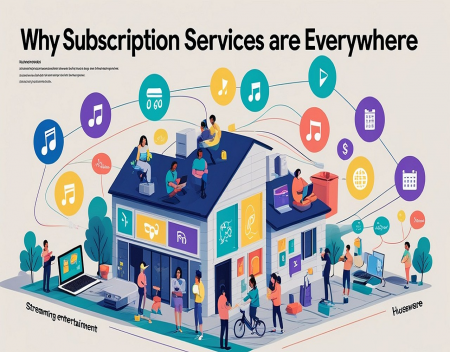
Why Subscription Services

The Future of Television