
Most people do not think much about backups until they lose something important. A failed hard drive, ransomware attack, accidental deletion, stolen laptop, software bug, or natural disaster can instantly make years of photos, documents, financial records, and business files disappear. While storage technology has become more reliable over the years, no device is immune to failure. This is why having a proper backup strategy remains one of the most important aspects of modern computing.
The good news is that creating an effective backup system is easier and more affordable than ever. Whether you are a home user, student, professional, or small business owner, there are several backup strategies that can dramatically reduce the risk of permanent data loss.
The first concept everyone should understand is that a backup is not the same thing as storage. Many people assume that because their files are stored on a computer, external drive, or cloud service, they are protected. However, if there is only one copy of a file, it is not truly backed up. A backup requires at least one additional copy stored separately from the original.
One of the most widely recommended approaches is the 3-2-1 backup rule. This strategy has been used by IT professionals for years because it provides excellent protection against a wide variety of threats.
The 3-2-1 rule recommends maintaining three copies of your data. One copy is the original file, while the other two are backups. These copies should be stored on at least two different types of media, such as an internal drive and an external drive. Finally, at least one backup should be stored offsite or in the cloud.
For example, a family might keep their original files on a computer, maintain a backup on an external hard drive, and store a third copy in a cloud backup service. If the computer fails, the external drive provides recovery. If the house suffers a fire or flood, the cloud backup remains available.
External hard drives remain one of the most popular backup solutions. They are relatively inexpensive, easy to use, and capable of storing large amounts of data. Many backup programs can automatically copy files to external drives on a daily or weekly schedule, reducing the need for manual intervention.
However, external drives should not be the only backup method. If the drive remains connected to the computer at all times, it may be vulnerable to malware, ransomware, power surges, or accidental deletion. Ideally, backup drives should be disconnected when not actively being used or supplemented with additional backup methods.
Cloud backups have become increasingly popular because they provide offsite protection automatically. Services can continuously upload important files to secure data centers, ensuring that data remains available even if local devices are damaged or stolen.
Cloud backup solutions offer several advantages. They require minimal maintenance, allow access from multiple devices, and often provide version history that enables users to restore previous versions of files. This can be particularly useful if a document becomes corrupted or is accidentally modified.
One common mistake people make is confusing cloud synchronization with cloud backup. Services that synchronize files across devices are extremely useful, but synchronization alone does not necessarily provide full backup protection. If a file is accidentally deleted and the deletion syncs across all devices, the file may disappear everywhere. Proper backup systems often include version history and recovery options that go beyond simple synchronization.
Automated backups are generally more effective than manual backups. While many users intend to back up their files regularly, busy schedules often result in missed backup sessions. Automated systems eliminate this problem by performing backups according to a predefined schedule without requiring user intervention.
System image backups are another valuable tool. Unlike file-level backups that protect individual documents and photos, system images capture the entire operating system, installed applications, settings, and data. If a computer experiences a catastrophic failure, a system image can significantly reduce recovery time by restoring the entire machine to a previous state.
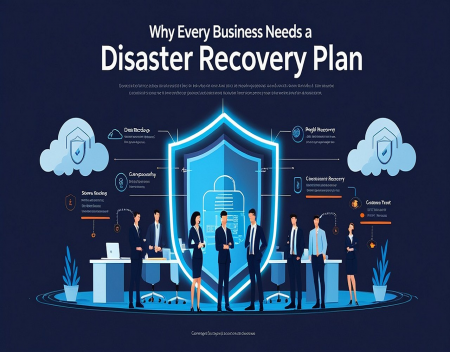
Businesses often require more advanced backup strategies. In addition to protecting data, organizations must minimize downtime and ensure continuity of operations. This may involve multiple backup locations, redundant storage systems, continuous replication, and detailed disaster recovery plans.
Ransomware has made backups even more important in recent years. These attacks encrypt files and demand payment in exchange for decryption keys. Victims without backups may face difficult choices, while organizations with reliable backups can often restore their systems without paying attackers.
Testing backups is an essential but frequently overlooked step. A backup is only useful if it can be successfully restored. Periodically verifying backup integrity and performing test restorations can help identify problems before an actual emergency occurs.
Mobile devices should not be forgotten either. Smartphones and tablets often contain valuable photos, contacts, messages, and documents. Automatic cloud backups and local backup solutions can help protect this information from device loss or failure.
As storage capacities continue to grow and digital information becomes increasingly important, backup strategies are no longer optional. Personal memories, financial records, creative projects, and business data often exist only in digital form. Losing them can be devastating.
Ultimately, the best backup strategy is the one that is actually implemented and maintained. Whether using external drives, cloud services, automated software, or a combination of methods, having multiple copies of important data is far better than having none at all. In an age where digital information plays a central role in both personal and professional life, effective backups remain one of the smartest investments any computer user can make.
Great experience with Computer Geek. They helped with my website needs and were professional, respon . . . [MORE].

Great, quick service when my laptop went into meltdown and also needed Windows 11 installed. Also ca . . . [MORE].
It was a great experience to working with you. thank you so much. . . . [MORE].
Thank you so much for great service and over all experience is good . highly recommended for all peo . . . [MORE].
We engaged The Computer Geeks in mid-2023 as they have a reputation for API integration within the T . . . [MORE].
Why Every Business Needs
ERP Systems for Small Bus
CRM Software Explained