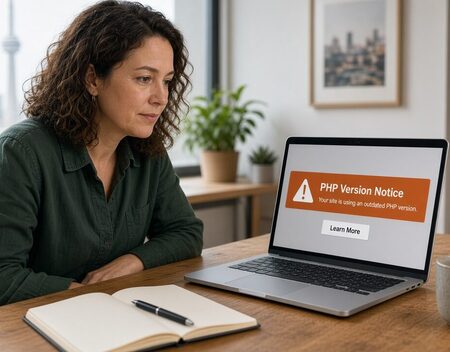
A hosting company does not send a PHP upgrade email because a site looks old. They send it because the PHP version on the server is being turned off. After that date, the site either moves to a newer PHP or it stops running. The email is a deadline, not a suggestion.
PHP is the language under WordPress, a lot of older shopping carts, and many custom sites. The host can change the version for the whole server. They cannot check whether your theme, plugins, or checkout still work on that version. That part is on the site.
What the email is actually sayingRead the date and the version numbers. A message that says PHP 7.4 will be removed, and the server will move to PHP 8.2, means every site on that account has to run on 8.2 after the date. Some hosts let you switch back for a few days. Some do not. If the email names one domain, the others on the same account can still be affected when the old version is removed.
Ignore any email that asks you to reply with a password, or to install a plugin from a link you do not already trust. Your host already has a ticket system. A real upgrade notice is also sitting in that account. If it is only in the inbox, confirm it there before you change anything.
What usually breaksWordPress itself is rarely the first thing to fail. An old plugin, an old theme, or a custom snippet in the theme folder fails first. The public site may show a blank page, a checkout that never finishes, or a form that reloads and sends nothing. Sometimes the front looks fine and only the admin area is dead, which is worse, because you cannot get in to turn the bad plugin off.
Older stores break in a different place. osCommerce, Zen Cart, and custom cart code from the PHP 5 and PHP 7.0 years often use functions that newer PHP removed. Shipping quotes, tax, and the payment page are the usual casualties. A brochure site with no plugins can sail through the same upgrade.
A site that was already hacked is a special case. Infected files sometimes run only on the old PHP. After the upgrade they either crash the site or they keep working in a quieter way. An upgrade is not a cleanup. If the host already told you the site was compromised, that job comes before the version change, or at the same time, not after you have forgotten about it.
Copy these three things before the switchMake a copy of the files and a copy of the database, and store them somewhere that is not only inside the same hosting account. A backup that lives on the server you are about to change is not a backup if the account gets suspended the same week.
Write down the current PHP version, and write down which domain uses it if the account has more than one. Take a look at the home page, one inside page, the contact form, and the checkout if there is a store. You need to know what "working" looked like yesterday. After the switch, those are the pages you test first.
If you can, make the switch on a copy of the site, or during a hour when an order not going through will not sit unseen overnight. Hosts like a Tuesday morning better than a Friday evening. So should you.
After the host flips the versionOpen the site in a private window so you are not looking at a cached copy. Then open the admin. A white screen means you turn the newest plugin off, or you rename its folder, and you look at the error log the host provides. Guessing at random files wastes the afternoon.
Send one test through the contact form. If you take payments, place a small real order or use the gateway's test mode, and confirm the receipt. A page that displays is not the same as a form that arrives.
If the host offered a one-click rollback, do not use it as the permanent plan. The old PHP is still being removed. Rollback buys days. It does not buy a year.
When it is worth a second pair of eyesCall if the site is blank, if you cannot log in, if checkout died, or if the host's date is this week and nobody has tried the new version yet. Computer Geek looks at the site you already have. The usual job is the upgrade itself, the plugin or cart code that will not run, and a check that the public pages still do what they did last week.
The phone is 905-426-1784. The service page for this job is the PHP upgrade. If the host wrote to you because the site was hacked, start with the hacked WordPress page instead of the version number.
Great experience with Computer Geek. They helped with my website needs and were professional, respon . . . [MORE].

Great, quick service when my laptop went into meltdown and also needed Windows 11 installed. Also ca . . . [MORE].
It was a great experience to working with you. thank you so much. . . . [MORE].
Thank you so much for great service and over all experience is good . highly recommended for all peo . . . [MORE].
We engaged The Computer Geeks in mid-2023 as they have a reputation for API integration within the T . . . [MORE].
Your host is forcing a PH
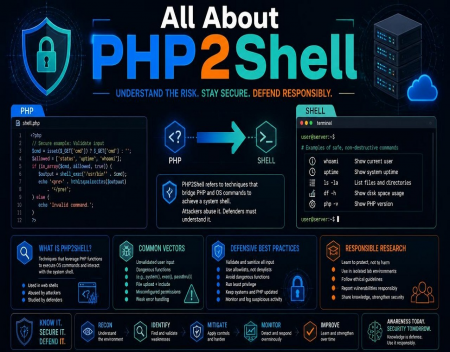
All About PHP2Shell

What Could Replace the Mo


