Your Website Is Still Running an Old Version of PHP.
Upgrade to Modern PHP Before the Host Forces the Issue
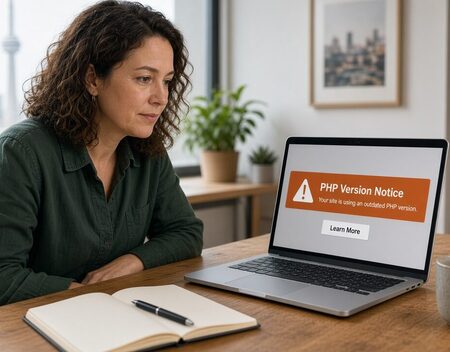
Is your website still running PHP 5, PHP 7, or an early PHP 8 release that no longer receives security updates?
When PHP falls behind, the site often keeps running until a host disables the old version, a library stops working, or a security problem shows up in production. Patches stop. Plugins and payment tools refuse to install.
Computer Geek can upgrade the PHP your website actually runs on. We review the existing code, identify what will break, and move the site onto a current supported PHP version while keeping the pages, forms, and functions your customers already use.
What Is a PHP Upgrade?
A PHP upgrade moves a website or application from an outdated PHP version to a modern, supported release, then fixes the code that no longer behaves the same way.
That is rarely a switch in a hosting control panel. PHP 8 is stricter than PHP 7, and PHP 7 removed features that PHP 5 applications still call. Old database functions, loose comparisons, and plugins written years ago can fail the moment the version number changes.
The goal is a website that stays online, stays patchable, and stays compatible with the tools you depend on.
Is Your PHP Version Holding the Site Back?
You may need an upgrade if:
- Your host has warned that your PHP version will be removed.
- The site still runs PHP 5, PHP 7, or a PHP 8 release past its security support date.
- Plugin, cart, or framework updates refuse to install.
- You cannot turn on a newer PHP version without white screens or errors.
- Checkout, forms, or admin tools fail after a routine host change.
If this sounds familiar, let Computer Geek take a look.
Why Upgrade PHP?
Security Patches Actually Exist
PHP versions have a published end of life. After that date, newly discovered problems are not fixed for your version. The most practical security step is often getting onto a PHP version that is still supported.
Hosts Will Not Support Old PHP Forever
Hosts periodically remove old PHP versions. Sites that were stable for years can go down on a schedule you did not choose. Upgrading on your timeline lets us test first.
Modern PHP Is Faster
PHP 8 runs typical application code faster than the versions it replaced. You get that speed from the same project that restores security support and library compatibility.
Libraries, Carts, and Plugins Have Moved On
Payment tools, WordPress, frameworks, and everyday PHP libraries raise their minimum PHP version over time. Stay behind and you lose the ability to update the pieces that handle money, logins, and forms.
Upgrade the Engine Without Throwing Away the Website
We look at the code you already have and separate what can be updated from what should be replaced. Depending on the application, that work includes pages and templates, forms and checkout, old database queries, custom functions, plugins, and third-party libraries.
Changing the PHP version does not automatically break a well-written application. It does expose code that depended on old behavior: the old mysql extension, removed functions, plugins with no current PHP support, and warnings that are now fatal errors. We find those issues in a test environment before the live site changes.
Many older sites can be upgraded in place. A rewrite is worth discussing when nobody can safely change the code, or preserving the old application would cost more than replacing it. We will tell you honestly before the work starts.
Our PHP Upgrade Process
1. Examine the Current Version and Code
We identify the PHP version, the hosting limits, the custom code, the plugins, and the features that have to keep working.
2. Recommend a Target Version
The right target depends on your host and your code. Typical recommendations include moving to a current supported PHP 8 release, stepping through an intermediate version when the jump is large, or planning a partial rebuild where the old code cannot be saved.
3. Fix Compatibility Issues
We update code that current PHP will not run, replace outdated database access, and adjust third-party pieces that block the upgrade.
4. Test Before the Live Switch
Forms, logins, checkout, search, admin tools, email, file uploads, and scheduled tasks get exercised on the new version before customers see it.
5. Launch and Watch the Errors
We switch the live site with a rollback path, confirm pages and key tasks, and review logs so leftover warnings do not become the next outage.
Ready to Move Off Old PHP?
An old PHP version can feel stable right up until it is not. The right time to upgrade is while the current site still works.
Let Computer Geek review the PHP version and the code behind your website. We will tell you what a current version requires, what is likely to break, and what it takes to upgrade without losing the features customers already use.