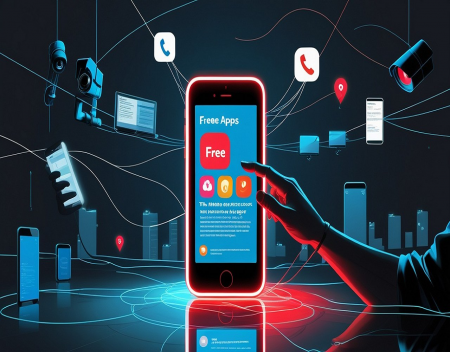
Free apps have become a normal part of everyday life. Millions of people use free messaging platforms, social media networks, photo editors, navigation tools, games, and productivity applications without paying a subscription or making an upfront purchase. With just a few taps, users can download software that helps them communicate, work, shop, learn, and entertain themselves.
But if an app costs nothing to download, how does the company behind it make money?
The answer is that free does not necessarily mean cost-free. Many applications generate revenue through advertising, data collection, in-app purchases, subscriptions, and other business models. While these approaches can provide useful services without charging users directly, they can also introduce hidden costs involving privacy, security, time, and personal finances.
Understanding these trade-offs can help consumers make better decisions about which apps they install and how they use them.
Your Personal Data May Be the Real PriceOne of the most important costs associated with free apps is personal information.
Depending on the application and its permissions, a company may collect information such as your name, email address, approximate location, device details, usage patterns, and interactions with the service. Some apps may also request access to contacts, photographs, microphones, cameras, or other sensitive features.
Companies can use this information to operate their services, improve functionality, personalize experiences, and measure performance. Advertising-supported applications may also use certain information to select advertisements or measure how effective those advertisements are.
In some circumstances, information may be shared with advertising partners, analytics providers, or other third parties, subject to applicable laws and the company's privacy practices.
The concern is that users may not fully understand what information is collected, how long it is retained, or where it goes after leaving the original application.
For example, a simple weather app might reasonably need your location to provide a local forecast. However, if it requests access to your contacts or unrelated files, those permissions deserve closer examination.
Before installing an app, consider whether the information it requests is necessary for its main purpose. If the answer is unclear, look for an alternative with a more transparent privacy policy.
The Advertising Business ModelAdvertising is one of the most common ways free applications generate revenue.
Social networks, mobile games, news apps, and many other services display advertisements to users. Advertisers pay the platform to reach potential customers, allowing the company to offer its service without charging everyone directly.
There is nothing inherently wrong with this arrangement. Advertising has funded newspapers, radio, television, and websites for decades.
The potential problem arises when an application's financial success depends heavily on maximizing user engagement. The longer people spend using the service, the more opportunities the company may have to display advertisements or promote paid products.
This can encourage design choices that prioritize attention over convenience. Endless scrolling, frequent alerts, autoplaying videos, and recommendations designed to keep users engaged can make it difficult to stop using an app.
The cost is not always financial. It can include lost time, interrupted concentration, and fewer opportunities to engage in other activities.
An application may be free in monetary terms while still demanding a substantial share of your attention.
In-App Purchases and MicrotransactionsMobile games and other free applications frequently use a model known as freemium. The basic app is free, but users can pay for additional features, premium content, virtual items, or an improved experience.
This model allows people to try an application before deciding whether to spend money. It can work well when paid upgrades are optional and clearly priced.
However, some applications are designed to encourage frequent spending through limited-time offers, exclusive items, virtual currencies, or progress systems that make paying seem like the easiest way forward.
A game might allow players to purchase extra lives, speed up progress, or obtain special characters. Each transaction may appear inexpensive, but repeated purchases can accumulate quickly.
Virtual currencies can make spending harder to evaluate because users may focus on the number of coins or tokens rather than the real-world cost.
Parents should be especially aware of in-app purchases on devices used by children. Setting purchase approvals, requiring authentication for transactions, and reviewing payment settings can help prevent unexpected charges.
Before spending money inside an app, consider whether the purchase provides lasting value or simply encourages another payment later.
The Privacy Risks of App PermissionsWhen installing a free app, users may encounter requests for access to their camera, microphone, location, contacts, photographs, or other device functions.
Some permissions are necessary. A video-calling application needs camera and microphone access to provide its core service, while a navigation app may need location information to calculate directions.
Other requests may be unnecessary for the application's primary purpose.
Granting excessive permissions can increase the amount of personal information an application can access. If the app has weak security, mishandles data, or shares information too broadly, the consequences can extend beyond the original service.
Users should review permissions carefully and grant access only when it makes sense. Many smartphones allow permissions to be limited to specific circumstances, such as allowing location access only while an app is in use.
It is also worth reviewing permissions periodically. An app that once needed access for a particular feature may no longer require it, and an application update may introduce new functions or requests.
A few minutes spent checking these settings can reduce unnecessary exposure.
Free Apps Can Carry Security RisksNot every free app comes from a reputable developer. Some applications may contain malicious software, deceptive advertising, or code that attempts to collect information beyond what users expect.
Downloading apps from unofficial websites or unfamiliar sources can increase the risk of installing modified or malicious software. Fake applications may imitate legitimate banking services, popular games, or well-known brands to persuade people to provide credentials or personal information.
Even legitimate applications can have security weaknesses. Developers may fail to update outdated components, protect stored information adequately, or respond quickly to discovered vulnerabilities.
To reduce the risks, download applications from trusted sources, verify the developer, check reviews with a critical eye, and keep both the app and operating system updated.
Be cautious if an app requests unusual permissions, displays excessive pop-ups, redirects you to suspicious websites, or asks for sensitive information that seems unrelated to its purpose.
Free software is not automatically unsafe, just as paid software is not automatically secure. The developer's reputation, security practices, and transparency matter more than the price alone.
The Cost of Your Time and AttentionAnother hidden cost is the amount of time an app consumes.
Many free applications compete for attention through notifications, personalized recommendations, daily rewards, streaks, and other engagement features. These mechanisms can encourage people to return repeatedly, even when they originally intended to use the app for only a few minutes.
Social media applications are a common example. Someone may open an app to check one message and then spend half an hour browsing unrelated posts and videos.
That time has an opportunity cost. It could have been spent exercising, reading, working, learning a skill, or interacting with family and friends.
The effect varies from person to person, and many people use these services in healthy, productive ways. The important question is whether an app is helping you accomplish something you value or simply encouraging you to keep using it.
Turning off unnecessary notifications, setting screen-time limits, and removing applications that provide little benefit can help restore control.
Are Paid Apps Always Better?Not necessarily. Many excellent free apps are developed by reputable companies, open-source communities, educational institutions, and independent developers. Some collect minimal information, provide strong security, and offer substantial value without requiring payment.
Likewise, paid applications can have privacy problems, security vulnerabilities, and aggressive business practices.
The best approach is to evaluate an app based on its purpose, reputation, permissions, privacy policy, security history, and overall usefulness.
For some services, paying a reasonable fee may provide a better experience with fewer advertisements or clearer data practices. For others, a free alternative may be perfectly adequate.
The important distinction is understanding how the developer supports the product and what you are agreeing to provide in return.
How to Protect YourselfYou do not need to stop using free apps to reduce their hidden costs. A few sensible habits can make a meaningful difference:
Read the privacy information. Pay attention to what data is collected and whether it is shared with third parties.
Check permissions. Deny access to device features that are not necessary for the app's purpose.
Use strong, unique passwords. Avoid reusing the same password across multiple applications and accounts.
Limit notifications. Allow alerts that matter and disable those designed mainly to encourage engagement.
Monitor purchases. Review app-store bills and bank statements for unexpected charges.
Keep software updated. Install security updates and remove applications you no longer use.
Choose reputable developers. Look for clear ownership, transparent policies, and a history of maintaining the application.
Consider alternatives. If an app demands too much information or attention, another service may offer a better balance.
Free apps have made powerful technology available to almost everyone. They help us communicate, navigate, manage finances, learn new skills, and enjoy entertainment without requiring an upfront payment.
However, the absence of a price tag does not mean there are no costs. Personal data, advertising exposure, in-app purchases, security risks, and lost time can all represent part of the price of using a free service.
The solution is not to distrust every free application. It is to become a more informed user who understands how digital services operate and what they may gain from providing access at no charge.
Before installing your next free app, ask yourself three questions: What does this application offer me? What information or access does it require? And how does its developer make money?
The smartest approach is to choose apps that provide genuine value without demanding more of your money, privacy, or attention than you are willing to give.
Great experience with Computer Geek. They helped with my website needs and were professional, respon . . . [MORE].

Great, quick service when my laptop went into meltdown and also needed Windows 11 installed. Also ca . . . [MORE].
It was a great experience to working with you. thank you so much. . . . [MORE].
Thank you so much for great service and over all experience is good . highly recommended for all peo . . . [MORE].
We engaged The Computer Geeks in mid-2023 as they have a reputation for API integration within the T . . . [MORE].
The Hidden Cost of Free A
The Psychology of Notific
Why Subscription Services