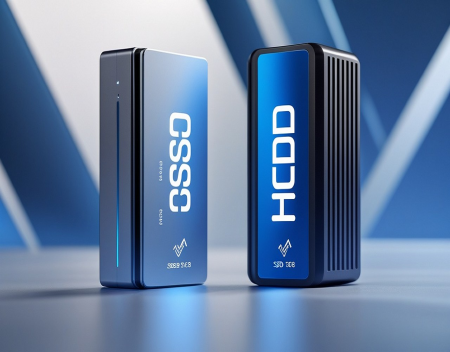
If your computer feels slow every time it starts up, takes forever to open programs, or seems to pause while loading files, the problem may not be your processor or memory—it could be your storage drive. For many years, traditional Hard Disk Drives (HDDs) were the standard for desktop and laptop computers. Today, however, Solid State Drives (SSDs) have become the preferred choice for new systems, offering dramatically faster performance and improved reliability. But if you're still using an HDD, is it finally time to upgrade?
For most users, the answer is a resounding yes.
To understand why, it helps to know how these two storage technologies work. An HDD stores data on spinning magnetic platters. A mechanical arm moves across the platters to read and write information, much like a record player. This technology has been around for decades and is reliable, but because it relies on moving parts, it has physical speed limitations.
An SSD works very differently. Instead of spinning disks, it stores data on flash memory chips similar to those used in USB drives and smartphones. Since there are no moving parts, an SSD can access data almost instantly, making it significantly faster than a traditional hard drive.
The most noticeable improvement after upgrading to an SSD is boot time. A computer equipped with an HDD may take one to three minutes to start Windows, especially if it has accumulated years of software and updates. The same computer with an SSD can often boot in 15 to 30 seconds, with some modern systems starting even faster.
Opening applications is another area where SSDs make a huge difference. Programs like Microsoft Office, Adobe Photoshop, web browsers, and video editing software launch much more quickly. Files open almost instantly, and multitasking becomes smoother because the storage device can retrieve data far more efficiently.
Gamers also benefit from SSD technology. While an SSD won't necessarily increase your frame rate, it will significantly reduce game loading times. Large open-world games that once took several minutes to load can often start in a fraction of the time. Many modern games are now designed with SSDs in mind, allowing for faster level transitions and smoother streaming of in-game assets.
Reliability is another major advantage. Since SSDs contain no moving mechanical components, they are less vulnerable to damage from drops, vibrations, or accidental bumps. This makes them particularly valuable in laptops, which are frequently transported and handled.
Hard drives, by comparison, can fail if the read/write head contacts the spinning platters—a condition commonly known as a head crash. While modern HDDs are durable under normal conditions, they remain more susceptible to physical damage than SSDs.
Noise is another factor worth considering. Traditional hard drives produce audible spinning and clicking sounds during operation. SSDs are completely silent because they contain no moving parts. If you appreciate a quiet workspace, upgrading to an SSD can noticeably reduce system noise.
Power consumption also favors SSDs. Because they don't need to spin disks or move mechanical arms, SSDs use less electricity than HDDs. This can improve battery life in laptops and reduce overall power usage in desktop computers.
When it comes to durability, SSDs have improved tremendously over the past decade. Early concerns about limited write endurance have largely disappeared for everyday users. Modern SSDs are designed to handle hundreds of terabytes—or even petabytes—of data written over their lifespan. For the average home or office user, this translates to many years of normal use before wear becomes a concern.
That said, hard drives still have one important advantage: cost per gigabyte. If you need massive amounts of storage for photos, videos, backups, or media collections, HDDs remain significantly less expensive than SSDs. It is not uncommon to find high-capacity hard drives offering several terabytes of storage at a much lower price than equivalent SSDs.
For this reason, many users choose a hybrid approach. They install an SSD for Windows, applications, and frequently used files while keeping a large HDD for long-term storage, backups, videos, and archived documents. This combination delivers excellent performance without dramatically increasing costs.
There are also different types of SSDs available. The most common are SATA SSDs and NVMe SSDs. SATA SSDs use the same interface as traditional hard drives and are often the easiest upgrade for older computers. They are several times faster than HDDs and provide an immediate performance boost.
NVMe SSDs connect directly to the motherboard using the PCI Express interface. They are dramatically faster than SATA SSDs and are now standard in many modern laptops and desktop computers. High-end NVMe drives can transfer data several times faster than SATA models, making them ideal for demanding tasks such as video editing, software development, and large file transfers.
Before purchasing an SSD, it's important to verify which type your computer supports. Older systems may only support SATA drives, while newer computers often include one or more M.2 slots for NVMe storage.
Upgrading to an SSD is often easier than many people expect. Numerous software tools allow you to clone your existing hard drive onto the new SSD, preserving your operating system, applications, and personal files. Once installed, your computer feels like an entirely new machine without requiring a full system replacement.
Businesses have also embraced SSD technology because of its impact on productivity. Faster startup times, quicker application launches, and reduced downtime allow employees to spend less time waiting and more time working. The improved reliability also lowers the risk of hardware-related interruptions.
Artificial intelligence applications are placing even greater demands on storage performance. AI-powered software frequently processes large datasets, loads complex models, and accesses information rapidly. As AI becomes increasingly integrated into everyday computing, fast storage will become even more important.
For users with computers that are five or more years old, replacing an HDD with an SSD is often the single most effective upgrade available. In many cases, the improvement is more noticeable than upgrading the processor or adding additional memory.
However, if your computer already has an SSD, replacing it with a newer, faster model may produce only modest improvements for everyday tasks. The biggest performance leap comes when moving from a traditional hard drive to solid-state storage for the first time.
So, is it finally time to upgrade?
For most people, absolutely. If your computer still relies on a traditional hard drive as its primary storage device, upgrading to an SSD can dramatically improve startup times, application performance, responsiveness, reliability, and overall user experience. It is one of the few hardware upgrades that nearly every user notices immediately.
While hard drives still have a place for inexpensive, high-capacity storage, SSDs have become the new standard for operating systems and daily computing. As software grows more demanding and users expect faster performance, solid-state storage is no longer a luxury—it's an essential part of a modern computer.
If you're looking for the most cost-effective way to breathe new life into an aging PC, an SSD upgrade is one of the smartest investments you can make.
Great experience with Computer Geek. They helped with my website needs and were professional, respon . . . [MORE].

Great, quick service when my laptop went into meltdown and also needed Windows 11 installed. Also ca . . . [MORE].
It was a great experience to working with you. thank you so much. . . . [MORE].
Thank you so much for great service and over all experience is good . highly recommended for all peo . . . [MORE].
We engaged The Computer Geeks in mid-2023 as they have a reputation for API integration within the T . . . [MORE].
The Browser Wars Revisite
The Rise and Fall of Flas
The History of the Intern