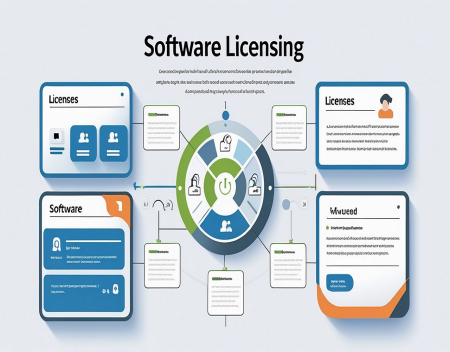
Almost every piece of software comes with some kind of license. Whether you are installing an application on your home computer, purchasing business software, downloading a free program, or using an open-source project, a software license determines what you are legally allowed to do with that software.
Many people assume that buying software means they own it. In most cases, that isn't actually how software works. When you purchase software, you are usually purchasing a license to use it, rather than ownership of the underlying software itself.
Understanding software licensing can help individuals and businesses avoid unexpected costs, legal problems, and restrictions.
What Is a Software License?A software license is a legal agreement between the software creator or publisher and the person or organization using the software.
The license defines how the software can be used. Depending on the license, it may specify how many computers the software can be installed on, how many people can use it, whether it can be modified, and whether it can be redistributed.
When you install software, you may be agreeing to these terms, often through an End User License Agreement, commonly called an EULA.
The exact terms vary considerably from one program to another.
Buying Software Doesn't Usually Mean Owning ItThis is one of the most important concepts in software licensing.
When you purchase a physical object, such as a keyboard or computer, you generally own that item. Software is different.
When you purchase a software product, you are generally receiving permission to use the software under specific conditions established by the license.
For example, a company might sell you a license that allows one person to use its application on a particular number of devices.
The software company still owns the underlying intellectual property.
This distinction is particularly important when dealing with commercial software used by businesses.
Perpetual LicensesA perpetual license allows you to use a particular version of software indefinitely, subject to the terms of the license.
This was once one of the most common ways software was sold.
You might pay a one-time fee for a program and continue using that version for years. Major upgrades might require purchasing another license.
The advantage is predictable cost. Once you have purchased the software, you generally don't have to keep paying a monthly subscription simply to continue using that version.
The disadvantage is that older versions may eventually stop receiving updates, technical support, or security fixes.
Subscription LicensingSubscription software has become extremely common.
Instead of purchasing a permanent license, users pay a recurring fee, usually monthly or annually.
The subscription may provide access to the latest version of the software, technical support, cloud services, additional features, and security updates.
For software companies, subscriptions provide predictable recurring revenue. For customers, they can reduce the large upfront cost of purchasing software.
However, there is an important downside: if you stop paying, you may lose access to the software or certain features.
Over several years, subscription costs can also become significantly higher than the original price of traditional software.
Free Software Doesn't Always Mean Unrestricted SoftwareSome software is completely free to download and use, but that doesn't necessarily mean you can do anything you want with it.
A free application may still have restrictions on copying, modifying, redistributing, or using it commercially.
For example, software may be free for personal use but require a paid license for businesses.
Always check the license rather than assuming that "free" means unrestricted.
Open-Source SoftwareOpen-source software works differently from traditional proprietary software.
Open-source licenses generally give users permission to access the source code and may allow them to modify and redistribute it.
However, there are many different open-source licenses, and they don't all provide the same rights.
Some licenses are relatively permissive and allow developers to use the code in commercial products with relatively few restrictions.
Other licenses have requirements that may affect how modified versions or software incorporating the code can be distributed.
Open source does not mean "no rules." It means the software is made available under specific licensing terms.
Proprietary SoftwareProprietary software is controlled by its creator or publisher.
The source code is generally not publicly available, and the license usually places restrictions on copying, modifying, or redistributing the software.
Most major commercial applications fall into this category.
Users receive permission to use the software but generally do not receive ownership of the underlying source code.
Single-User and Multi-User LicensesSoftware licenses can also limit how many people are allowed to use a program.
A single-user license might permit one individual to use the software, potentially across a limited number of devices.
Businesses may purchase multi-user or volume licenses that allow a larger number of employees to access the software.
The exact rules vary between software companies, so businesses should carefully review licensing terms before installing software across an organization.
Device LicensingSome software licenses are based on the number of devices rather than the number of people.
For example, a license might allow installation on three computers.
That doesn't necessarily mean three employees can use the software simultaneously. The license may contain additional restrictions.
This is why simply counting computers isn't always enough when determining how many licenses a business needs.
Cloud Software Changes the EquationCloud-based software has made software licensing even more complicated.
With traditional software, the program might be installed directly on a computer. Cloud applications often run primarily on remote servers and are accessed through a web browser or dedicated application.
Licensing can therefore be based on users, accounts, storage capacity, features, usage levels, or a combination of factors.
Some cloud services may also charge based on the amount of data processed or the number of transactions performed.
Businesses need to understand exactly what is included in their subscription before committing to a cloud platform.
Why Software Licensing Matters to BusinessesSoftware licensing can become a major issue for businesses.
A company might have hundreds of employees using dozens or hundreds of different applications. If software is installed without the appropriate licenses, the company could face additional costs, audits, or legal problems.
Businesses should maintain an inventory of the software they use and keep track of their licenses and renewal dates.
This is often referred to as software asset management.
Good license management can also save money. Companies sometimes continue paying for software that nobody is using.
What Happens If You Violate a Software License?The consequences depend on the software and the circumstances.
A company that uses more licenses than it has purchased may be required to purchase additional licenses or pay other costs.
More serious violations can potentially result in legal action.
Individuals may also encounter restrictions if they attempt to bypass activation systems, distribute unauthorized copies, or use software in ways prohibited by its license.
The safest approach is simple: read the licensing terms and make sure your use of the software complies with them.
Final ThoughtsSoftware licensing can seem complicated, but the basic concept is relatively simple.
When you use software, you are generally using it under a set of rules established by the software's creator. Those rules can determine how many people can use it, how many devices it can be installed on, whether it can be modified, whether it can be used commercially, and what happens when payments stop.
Perpetual licenses, subscriptions, freeware, open-source software, proprietary software, and cloud services all have different licensing models.
As software continues moving toward subscription and cloud-based services, understanding these licenses is becoming increasingly important.
Whether you are a home computer user or responsible for technology at a large business, taking a few minutes to understand a software license can prevent unpleasant surprises later.
Great experience with Computer Geek. They helped with my website needs and were professional, respon . . . [MORE].

Great, quick service when my laptop went into meltdown and also needed Windows 11 installed. Also ca . . . [MORE].
It was a great experience to working with you. thank you so much. . . . [MORE].
Thank you so much for great service and over all experience is good . highly recommended for all peo . . . [MORE].
We engaged The Computer Geeks in mid-2023 as they have a reputation for API integration within the T . . . [MORE].
The Evolution of Personal
The Hidden Cost of Free A

The Psychology of Notific