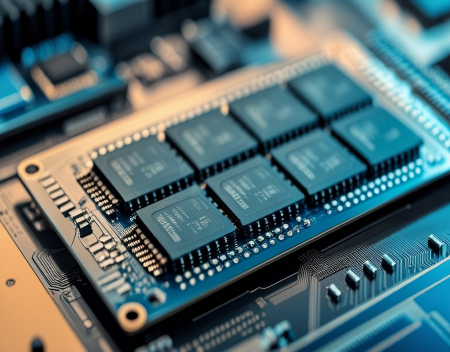
When shopping for a new computer or upgrading an existing one, one of the most common questions people ask is, "How much RAM do I need?" It's a fair question, especially since computers are available with memory configurations ranging from just a few gigabytes to well over 100 GB. While having more RAM can improve performance, simply buying the largest amount available isn't always necessary. The ideal amount depends on how you use your computer.
RAM, or Random Access Memory, is the temporary workspace your computer uses while running programs. Unlike your hard drive or solid-state drive, which permanently stores your files and applications, RAM holds the data your processor needs to access quickly. The more RAM your computer has, the more information it can keep readily available, reducing the need to constantly retrieve data from storage.
Think of RAM as the size of your desk. If your desk is small, you'll constantly have to put things away and retrieve them later. If your desk is large enough, you can keep everything you need within easy reach and work much more efficiently.
One common misconception is that more RAM automatically makes a computer faster. In reality, RAM does not directly increase processor speed. Instead, it allows your computer to handle more tasks at once without slowing down. If you already have enough memory for your workload, adding more may produce little or no noticeable improvement.
For basic computer users, 8 GB of RAM is often sufficient. If your daily activities include browsing the web, checking email, streaming videos, using Microsoft Office, and participating in video calls, 8 GB will usually provide a smooth experience. Modern operating systems such as Windows 11 are designed to run comfortably with this amount of memory for everyday tasks.
However, web browsers have become surprisingly memory-hungry. Opening dozens of tabs, running browser extensions, and keeping multiple websites active simultaneously can quickly consume several gigabytes of RAM. If you're someone who regularly has 30 or 40 browser tabs open, you'll likely benefit from additional memory.
For most users today, 16 GB of RAM has become the sweet spot. It provides enough memory for multitasking, productivity applications, light photo editing, casual gaming, and running numerous browser tabs without noticeable slowdowns. It also offers room for future software updates, which tend to require more system resources over time.
Many new computers now ship with 16 GB because it strikes an excellent balance between performance, longevity, and cost.
Gamers also benefit from 16 GB of RAM. Most modern games recommend at least this amount to ensure smooth gameplay while allowing background applications such as voice chat, streaming software, or web browsers to remain open.
If you're a content creator working with high-resolution photos, video editing software, music production, graphic design, or large creative projects, 32 GB of RAM is often a worthwhile investment. Professional applications frequently load large files into memory, and additional RAM helps reduce delays while editing or rendering content.
Software developers may also appreciate 32 GB, especially when running integrated development environments (IDEs), multiple virtual machines, local databases, and testing environments simultaneously.
Power users who work with 3D rendering, artificial intelligence, engineering simulations, scientific computing, or enterprise virtualization may require 64 GB or even more. These specialized workloads process enormous amounts of data and benefit significantly from large memory capacities.
Artificial intelligence is becoming another factor influencing memory requirements. AI-powered features integrated into operating systems and productivity software increasingly perform tasks locally using your computer's hardware. Image generation, voice recognition, language translation, document summarization, and AI-assisted editing all consume additional system memory.
As AI becomes more common, future software may recommend larger amounts of RAM than today's applications.
One important concept to understand is virtual memory. When your computer runs out of physical RAM, the operating system temporarily uses storage space on your SSD or hard drive as additional memory. This allows programs to continue running, but storage devices are much slower than RAM. As a result, your computer may become sluggish, applications may pause unexpectedly, and overall responsiveness declines.
This is why systems with insufficient RAM often feel slow, even if they have fast processors.
The type of storage in your computer also affects the experience. Computers equipped with SSDs recover more gracefully when virtual memory is used because SSDs are much faster than traditional hard drives. However, even the fastest SSD cannot match the speed of physical RAM.
Another consideration is whether your computer supports future upgrades. Many desktop computers allow users to add additional memory later, making it possible to start with 16 GB and upgrade to 32 GB if your needs grow. Some laptops offer upgradeable memory as well, although many modern ultrabooks and compact systems have RAM permanently soldered to the motherboard.
Before purchasing a new computer, it's worth checking whether memory upgrades will be possible in the future.
Businesses often standardize on 16 GB or 32 GB for employee workstations to ensure consistent performance across productivity applications, video conferencing, collaboration software, and increasingly demanding cloud-based services.
Students generally do well with 16 GB, providing enough memory for research, online learning, productivity software, multimedia projects, and light creative work throughout their education.
Many people also confuse RAM with storage capacity. A computer with a 1 TB SSD and 8 GB of RAM has plenty of storage for files but relatively modest working memory. Conversely, a system with 32 GB of RAM and only a 256 GB SSD may perform exceptionally well while offering limited storage space for documents, photos, and applications. Both specifications are important, but they serve completely different purposes.
It's also worth remembering that operating systems themselves continue to evolve. Each new version of Windows, macOS, or Linux typically introduces additional features that require more memory. Purchasing slightly more RAM than you currently need can help extend the useful life of your computer.
So, how much RAM do you really need?
If you primarily browse the internet, send emails, stream videos, and work with basic office applications, 8 GB remains adequate, though it is increasingly becoming the minimum recommendation rather than the ideal choice.
For the vast majority of users—including professionals, students, remote workers, gamers, and multitaskers—16 GB offers the best balance of performance, value, and future-proofing. It is the amount most people should aim for when buying a new computer today.
If you regularly edit videos, create digital content, develop software, work with virtual machines, or use professional creative applications, 32 GB is a worthwhile investment that will improve productivity and responsiveness.
Finally, users involved in advanced scientific computing, artificial intelligence development, engineering, or large-scale virtualization should consider 64 GB or more, depending on their specific workloads.
Ultimately, RAM is about ensuring your computer has enough working space to handle everything you ask it to do. Buying too little can lead to frustrating slowdowns, while buying far more than you need may simply waste money. Understanding your computing habits allows you to choose the right amount of memory, ensuring smooth performance today while leaving room for the software and technologies of tomorrow.
Great experience with Computer Geek. They helped with my website needs and were professional, respon . . . [MORE].

Great, quick service when my laptop went into meltdown and also needed Windows 11 installed. Also ca . . . [MORE].
It was a great experience to working with you. thank you so much. . . . [MORE].
Thank you so much for great service and over all experience is good . highly recommended for all peo . . . [MORE].
We engaged The Computer Geeks in mid-2023 as they have a reputation for API integration within the T . . . [MORE].
The Evolution of Personal
The Hidden Cost of Free A

The Psychology of Notific