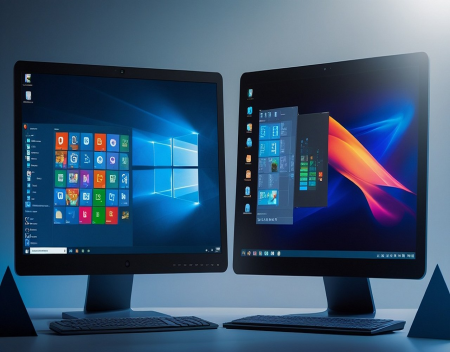
Choosing an operating system is one of the most important decisions you can make when buying or building a computer. For most people, the choice comes down to Windows or Linux. While Windows has long dominated the personal computer market, Linux has steadily gained popularity among developers, businesses, technology enthusiasts, and even everyday users looking for an alternative. Both operating systems have their strengths and weaknesses, and the best choice depends largely on how you plan to use your computer.
Windows, developed by Microsoft, is the most widely used desktop operating system in the world. It comes pre-installed on the majority of new personal computers and is designed to be user-friendly for people of all technical skill levels. Linux, on the other hand, is an open-source operating system that is available in many different versions, known as distributions or "distros." Popular Linux distributions include Ubuntu, Linux Mint, Fedora, Debian, and Pop!_OS, each offering its own unique features and user experience.
One of Windows' greatest advantages is software compatibility. Nearly every major commercial software developer supports Windows. Popular applications such as Microsoft Office, Adobe Photoshop, AutoCAD, QuickBooks, and thousands of specialized business programs are designed primarily for Windows. If your work depends on commercial software, Windows is often the easiest and most practical choice.
Linux has made tremendous progress in software availability, but some commercial applications still lack native Linux versions. Fortunately, there are many excellent open-source alternatives. LibreOffice can replace Microsoft Office for many users, GIMP offers powerful image editing capabilities, and applications like Blender, VLC Media Player, and Firefox run exceptionally well on Linux.
Gaming has traditionally been another area where Windows held a significant advantage. Most PC games are developed with Windows in mind, and technologies such as DirectX have long made Windows the preferred platform for gamers. However, Linux gaming has improved dramatically in recent years thanks to Steam, Proton compatibility, and better graphics driver support.
Today, thousands of Windows games can run on Linux with little or no modification. Even so, some games—particularly those using certain anti-cheat systems—may still require Windows to function properly.
Ease of use is another important consideration. Windows offers a familiar interface that most computer users already understand. Installing software is generally straightforward, hardware compatibility is excellent, and manufacturers typically provide drivers specifically designed for Windows.
Modern Linux distributions have also become remarkably user-friendly. Distributions like Ubuntu and Linux Mint feature graphical interfaces that resemble Windows in many ways, making the transition easier than many people expect. However, users may occasionally need to use the command line when troubleshooting problems or performing advanced system administration tasks.
Security is often cited as one of Linux's biggest strengths. Because Linux is built around strong permission systems and has a smaller desktop market share than Windows, it has historically been targeted by fewer malware attacks. This does not mean Linux is immune to cyber threats, but it generally experiences fewer viruses aimed at desktop users.
Windows has made enormous improvements in security over the years. Features such as Microsoft Defender, Secure Boot, BitLocker encryption, Windows Hello biometric authentication, and built-in ransomware protection provide strong defenses against many common threats. Most Windows infections today occur because users download malicious software, click phishing links, or ignore security updates rather than because of weaknesses in Windows itself.
Performance is another area where Linux often shines. Many Linux distributions consume fewer system resources than Windows, allowing older computers to remain fast and responsive. If you have aging hardware that struggles with modern versions of Windows, installing a lightweight Linux distribution can often give the computer several more years of useful life.
Windows generally requires more memory, storage space, and processing power, especially after years of accumulated software installations and updates. However, on modern hardware, these differences are often less noticeable.
Customization is one of Linux's defining characteristics. Users can choose from dozens of desktop environments, customize virtually every aspect of the operating system, and even modify the underlying source code if they have the technical knowledge. This level of flexibility is one reason Linux is so popular among developers and technology enthusiasts.
Windows offers customization options as well, but Microsoft maintains tighter control over the operating system to ensure compatibility and consistency.
Cost is another factor worth considering. Most Linux distributions are completely free to download, install, and use. They also include thousands of free applications available through integrated software repositories.
Windows typically requires a paid license unless it comes pre-installed on a new computer. For many consumers this cost is already included in the purchase price, but businesses deploying large numbers of computers may face significant licensing expenses.
Linux dominates the server market for good reason. The majority of websites, cloud platforms, web hosting providers, and supercomputers run Linux because of its stability, flexibility, security, and efficiency. If your interests include web development, programming, cloud computing, or cybersecurity, learning Linux can be an extremely valuable skill.
Windows Server also powers many enterprise environments, particularly those built around Microsoft technologies such as Active Directory, Microsoft SQL Server, Exchange Server, and Microsoft 365. Organizations already invested in Microsoft's ecosystem often prefer Windows-based infrastructure for compatibility and centralized management.
Hardware support is generally excellent on both platforms, but Windows still has the edge for newly released consumer hardware. Graphics cards, printers, scanners, webcams, gaming peripherals, and specialized business equipment often receive Windows drivers first. Linux compatibility has improved significantly, but very new or niche hardware may require additional configuration.
Software updates are handled differently as well. Windows automatically installs operating system updates, security patches, and driver updates through Windows Update. Linux distributions use centralized package managers that allow users to update both the operating system and installed applications from a single interface.
Privacy-conscious users sometimes prefer Linux because most distributions collect very little user data by default. Windows includes diagnostic and telemetry features designed to improve system reliability and user experience, though many of these settings can be adjusted by the user.
One common misconception is that Linux is only for programmers. While Linux certainly appeals to developers, many modern distributions are designed specifically for everyday users who browse the web, send emails, watch videos, create documents, and perform routine computing tasks.
So, which operating system is right for you?
If you rely on commercial software, play the latest PC games, want maximum hardware compatibility, or simply prefer an operating system that works immediately with minimal setup, Windows remains an excellent choice. It offers broad software support, an intuitive user experience, and strong integration with many consumer and business applications.
If you value performance, security, privacy, customization, and free open-source software—or you enjoy learning more about how computers work—Linux may be the better option. It is especially attractive for developers, students, IT professionals, and users looking to revive older hardware.
The good news is that choosing one operating system does not necessarily mean giving up the other. Many people run Windows and Linux side by side using dual-boot configurations or virtual machines, allowing them to enjoy the strengths of both platforms.
Ultimately, there is no universally "best" operating system. Windows and Linux are both mature, capable platforms with loyal user communities. The right choice depends on your specific needs, technical comfort level, and the software you use every day. By understanding the strengths of each, you can select the operating system that best supports your work, hobbies, and long-term computing goals.
Great experience with Computer Geek. They helped with my website needs and were professional, respon . . . [MORE].

Great, quick service when my laptop went into meltdown and also needed Windows 11 installed. Also ca . . . [MORE].
It was a great experience to working with you. thank you so much. . . . [MORE].
Thank you so much for great service and over all experience is good . highly recommended for all peo . . . [MORE].
We engaged The Computer Geeks in mid-2023 as they have a reputation for API integration within the T . . . [MORE].

The Hidden Cost of Free A

The Psychology of Notific

Why Subscription Services