The internet has become an essential part of everyday life. We use it to communicate with friends and family, shop online, manage our finances, work remotely, stream entertainment, book vacations, and access healthcare services. While these conveniences have made life easier, they have also resulted in an unprecedented amount of personal information being shared online. Every website you visit, every app you install, and every online purchase you make can generate data about your habits, preferences, and identity. Protecting your privacy online has never been more important.
Online privacy is about controlling who has access to your personal information and how that information is collected, stored, and used. Personal data can include obvious details such as your name, address, email address, and phone number, but it also extends to your browsing history, location, shopping habits, search queries, financial information, and even the devices you use.
Many people are surprised to learn how much information they share every day without realizing it. Websites often use cookies and tracking technologies to monitor your activity across multiple sites. This information helps companies personalize advertisements, improve services, and analyze customer behavior. While much of this tracking is legal and intended to enhance user experiences, it also raises important questions about privacy and data security.
One of the easiest ways to improve your online privacy is by creating strong, unique passwords for every account. Reusing the same password across multiple websites significantly increases your risk. If one website suffers a data breach, attackers often try those stolen credentials on banking websites, email providers, shopping platforms, and social media accounts.
Using a password manager makes it much easier to maintain strong, unique passwords without having to remember dozens of complex combinations. These tools can generate secure passwords and store them safely, allowing you to log in with a single master password.
Another essential step is enabling Multi-Factor Authentication (MFA) wherever it is available. MFA requires an additional verification method—such as a code sent to your smartphone, a fingerprint scan, facial recognition, or a hardware security key—in addition to your password. Even if someone steals your password, they are unlikely to access your account without the second authentication factor.
Be cautious about the information you share on social media. Many people publicly post birthdays, hometowns, family member names, travel plans, schools attended, and photographs that reveal more information than intended. Criminals can use this data to guess passwords, answer security questions, impersonate victims, or create highly convincing phishing attacks.
Review your privacy settings regularly and limit the audience that can view your personal information. Think carefully before posting details that could be used to identify you or verify your identity.
Keeping your devices updated is another important privacy habit. Operating systems, web browsers, smartphones, and applications regularly receive security updates that fix newly discovered vulnerabilities. Delaying these updates leaves your devices exposed to known security flaws that cybercriminals actively exploit.
Automatic updates are generally the safest option because they ensure critical security patches are installed as soon as they become available.
Public Wi-Fi networks deserve special attention. While free internet access at airports, hotels, coffee shops, and shopping centers is convenient, public networks are not always secure. Attackers may attempt to intercept data transmitted over unsecured connections.
When using public Wi-Fi, avoid accessing online banking or entering sensitive personal information unless you are connected through a trusted Virtual Private Network (VPN). A VPN encrypts your internet traffic, making it much more difficult for others to monitor your online activity.
Phishing remains one of the greatest threats to online privacy. Cybercriminals frequently send emails or text messages pretending to be banks, government agencies, delivery companies, or well-known businesses. Their goal is to trick you into revealing passwords, financial information, or personal details.
Always verify unexpected requests before clicking links or downloading attachments. If you receive an email claiming there is a problem with one of your accounts, visit the company's official website directly instead of using the links provided in the message.
Many websites ask for more personal information than they truly need. Before providing details such as your phone number, birth date, or home address, consider whether the information is necessary. Limiting the amount of personal data you share reduces the impact if a company later experiences a data breach.
You should also review app permissions on your smartphone and tablet. Many applications request access to your location, contacts, microphone, camera, photos, or calendar even when those permissions are not required for the app's primary function.
Take a few minutes to review these permissions periodically. Disable any that seem unnecessary while allowing only the access required for the application to function properly.
Browser privacy settings can also improve your online security. Most modern browsers allow you to block third-party cookies, limit tracking, clear browsing history automatically, and notify you when websites attempt to collect personal information. Privacy-focused browsers and search engines can further reduce the amount of data collected during everyday browsing.
Financial privacy is equally important. Monitor your bank accounts and credit card statements regularly for unfamiliar transactions. Many financial institutions now offer instant notifications whenever purchases or transfers occur, allowing suspicious activity to be identified quickly.
Checking your credit report periodically can also help detect identity theft before significant damage occurs.
Businesses have responsibilities as well. Organizations that collect customer information should encrypt sensitive data, implement strong cybersecurity practices, minimize unnecessary data collection, and notify customers promptly if a data breach occurs. Consumers increasingly expect companies to protect their personal information responsibly.
Artificial intelligence is creating new privacy opportunities as well as new challenges. AI-powered systems can detect fraudulent transactions, identify suspicious account activity, and strengthen cybersecurity. However, AI also enables more sophisticated phishing attacks, voice cloning, facial recognition, and large-scale data analysis. Understanding how AI affects privacy will become increasingly important as these technologies continue to evolve.
No privacy strategy is perfect. Every online activity involves some level of information sharing. The goal is not to eliminate all risk but to reduce unnecessary exposure and maintain greater control over your personal data.
Simple habits such as using strong passwords, enabling Multi-Factor Authentication, updating your software, reviewing privacy settings, limiting social media sharing, avoiding suspicious links, and carefully managing app permissions can significantly improve your online privacy.
As technology becomes more integrated into our daily lives, protecting personal information is no longer just a technical concern—it is an essential life skill. The internet offers incredible opportunities for communication, learning, business, and entertainment, but it also requires users to be informed and cautious.
By taking a proactive approach to online privacy, you can enjoy the benefits of the digital world while greatly reducing the chances of becoming a victim of identity theft, fraud, or unauthorized data collection. In today's connected world, protecting your privacy is one of the smartest investments you can make in your personal security.
Great experience with Computer Geek. They helped with my website needs and were professional, respon . . . [MORE].

Great, quick service when my laptop went into meltdown and also needed Windows 11 installed. Also ca . . . [MORE].
It was a great experience to working with you. thank you so much. . . . [MORE].
Thank you so much for great service and over all experience is good . highly recommended for all peo . . . [MORE].
We engaged The Computer Geeks in mid-2023 as they have a reputation for API integration within the T . . . [MORE].

The Story of the First La
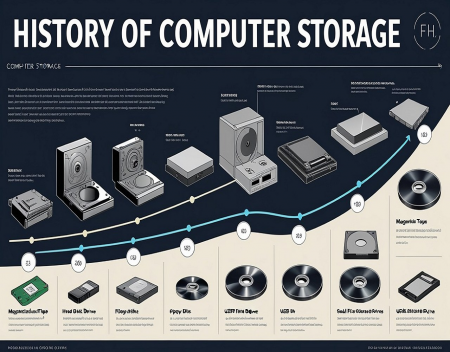
The History of Computer S
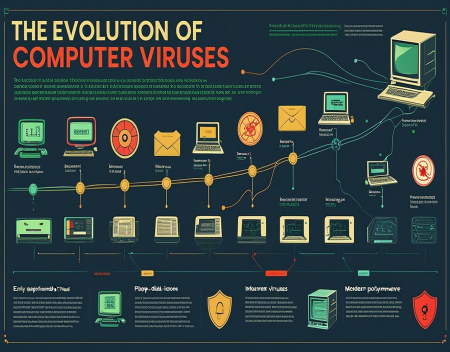
The Evolution of Computer