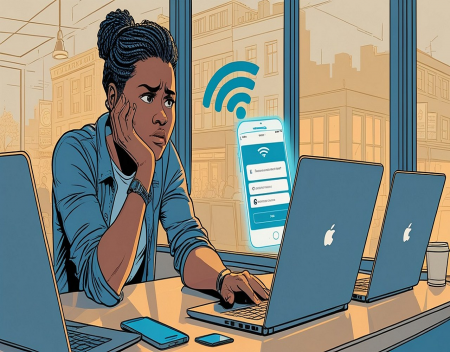
Free public Wi-Fi has become a part of everyday life. Whether you're working from a coffee shop, waiting at an airport, staying in a hotel, or shopping at a local mall, chances are you'll find a free wireless network available. Public Wi-Fi offers incredible convenience, allowing people to stay connected without using their mobile data plans. However, many people don't realize that these networks can also introduce significant security risks. While not every public Wi-Fi network is dangerous, understanding the potential threats can help you use them safely.
Public Wi-Fi refers to any wireless internet connection that is available to the general public or to customers of a business. Coffee shops, restaurants, hotels, libraries, airports, hospitals, and even public parks often provide free internet access. These networks are designed for convenience, but they are not always configured with strong security protections.
The biggest concern with public Wi-Fi is that you usually have very little control over how the network is managed. You don't know who configured it, how secure it is, whether it is properly monitored, or who else is connected to it. This uncertainty creates opportunities for cybercriminals to intercept data or trick unsuspecting users.
One common threat is the "man-in-the-middle" attack. In this type of attack, a cybercriminal secretly positions themselves between your device and the website or service you are trying to access. Instead of communicating directly with the website, your information passes through the attacker's device first. If the connection is not properly encrypted, sensitive information such as usernames, passwords, emails, or payment details may be intercepted.
Fortunately, most modern websites now use HTTPS encryption, which helps protect data during transmission. You can recognize a secure website by the padlock icon displayed next to the web address in your browser. While HTTPS greatly improves security, it is not a complete solution. Attackers still have other methods of targeting users on public networks.
Another common risk involves fake Wi-Fi networks, sometimes called "evil twin" hotspots. A criminal creates a wireless network with a name that closely resembles a legitimate one. For example, if a coffee shop's official network is called "CoffeeHouse WiFi," an attacker might create a network named "CoffeeHouse_Free" or "CoffeeHouse Guest."
Unsuspecting users connect to the fake network, believing it is legitimate. Once connected, the attacker may monitor internet traffic, redirect users to fake login pages, or collect sensitive information entered during the session.
This is why it is always important to verify the exact Wi-Fi network name with the business before connecting, especially in busy public locations.
File sharing can also create security problems. Some devices automatically allow file sharing or printer sharing when connected to trusted home networks. If these settings remain enabled while connected to public Wi-Fi, other users on the same network may potentially access shared folders or devices.
Most operating systems now recognize public networks and automatically disable many sharing features, but it is still worth confirming that your device is configured correctly.
Public Wi-Fi can also expose users to malware attacks. Cybercriminals sometimes exploit vulnerabilities in outdated operating systems or software to infect devices connected to the same network. Keeping your operating system, browser, and applications updated helps protect against many of these attacks.
One of the simplest and most effective ways to improve your security on public Wi-Fi is to use a Virtual Private Network (VPN). A VPN encrypts all internet traffic between your device and the VPN server, making it much more difficult for others on the network to intercept your information.
Even if someone successfully monitors the wireless network, the encrypted data passing through the VPN is generally unreadable without the proper encryption keys.
Many businesses require employees to use VPNs whenever they access company resources from outside the office. This protects sensitive business information while employees work remotely or travel.
If you don't have access to a VPN, you should avoid performing sensitive activities while using public Wi-Fi. Online banking, stock trading, shopping with credit cards, or accessing confidential work systems are better done using your mobile data connection or a trusted home network whenever possible.
Today's smartphones provide another secure alternative through mobile hotspots. By sharing your phone's cellular connection with your laptop or tablet, you create a private internet connection that is generally more secure than most public Wi-Fi networks.
Public charging stations deserve attention as well. Some public USB charging ports have been associated with a technique known as "juice jacking," where compromised charging stations attempt to access data from connected devices. Although this type of attack is relatively uncommon, it is still a good idea to use your own charging adapter plugged into a standard electrical outlet or carry a USB data blocker when traveling.
Keeping your firewall enabled adds another layer of protection. Firewalls help prevent unauthorized connections between your device and others on the network. Most modern operating systems include built-in firewalls that should remain active at all times.
Strong passwords and Multi-Factor Authentication (MFA) also reduce risk. Even if an attacker somehow obtains your password while you're using public Wi-Fi, MFA requires an additional verification step before they can access your account.
Logging out of websites when you're finished using them is another good habit. Leaving accounts open unnecessarily increases the chance that someone could gain access if your device is lost, stolen, or compromised.
Automatic Wi-Fi connections can also present security risks. Many smartphones and laptops automatically reconnect to previously used wireless networks. Attackers may exploit this behavior by creating fake networks that mimic familiar ones. Disabling automatic connections gives you greater control over which networks your device joins.
Businesses that provide public Wi-Fi also have an important responsibility. They should secure their wireless networks, isolate guest users from internal business systems, use modern encryption standards, monitor for suspicious activity, and regularly update networking equipment. Customers naturally expect businesses to provide reasonably secure internet access.
Artificial intelligence is beginning to play a larger role in wireless security. AI-powered monitoring systems can detect unusual network activity, identify rogue access points, and recognize suspicious behavior much faster than traditional security systems. As these technologies improve, public Wi-Fi networks are likely to become safer.
So, how secure is public Wi-Fi? The honest answer is that it depends on the network and how you use it. Many public Wi-Fi networks are operated responsibly and provide reasonable security. Others may have outdated equipment, weak configurations, or even malicious actors attempting to exploit users.
The safest approach is to assume that every public Wi-Fi network carries some level of risk. By using HTTPS websites, enabling Multi-Factor Authentication, keeping your devices updated, using a VPN whenever possible, verifying network names, disabling automatic connections, and avoiding sensitive financial transactions on public networks, you can dramatically reduce your chances of becoming a victim.
Public Wi-Fi remains a valuable convenience that allows people to stay productive and connected almost anywhere. With a little caution and a few smart security habits, you can enjoy its benefits while protecting your personal information, financial accounts, and digital identity from unnecessary risk.
Great experience with Computer Geek. They helped with my website needs and were professional, respon . . . [MORE].

Great, quick service when my laptop went into meltdown and also needed Windows 11 installed. Also ca . . . [MORE].
It was a great experience to working with you. thank you so much. . . . [MORE].
Thank you so much for great service and over all experience is good . highly recommended for all peo . . . [MORE].
We engaged The Computer Geeks in mid-2023 as they have a reputation for API integration within the T . . . [MORE].

The Browser Wars Revisite

The Rise and Fall of Flas

The History of the Intern